 15 minutes read
The most popular advice about legal workflow automation is wrong: buy a tool, switch it on, and watch the hours disappear. That's vendor-deck fantasy. Software can move a task, populate a template, or flag an invoice. It can't decide which handoff is unnecessary, who owns the exception, or why your intake form still asks for a fax number.
The firms that get lasting value treat automation as an operating-model redesign, not a shopping exercise. They map the work, connect the systems, assign human owners, measure the baseline, and bring in flexible paralegal capacity when the workflow needs rebuilding. That approach matters because adoption is already broad, while implementation maturity trails behind it. A 2026 industry report found that 96% of law firms use AI in support services, but only 27% have redesigned roles and workflows to support it. The gap is where most of the important work lives. (2026 Legal Workflow Leadership Report)
Automation projects stall because firms automate fragments while leaving the operating process untouched.
A firm buys document automation software, imports a few templates, and sets a launch date. The intake team still rekeys information into the practice management system. Attorneys still email “final-final” documents for approval. Someone still maintains a deadline spreadsheet because docketing rules were never configured. The software sits in the building, while the old workflow keeps running the firm.
Skipping process mapping before procurement creates expensive confusion. Document every intake question, approval, data field, exception, and handoff before evaluating products. Otherwise, the buying committee grades demos instead of operational fit. A platform can look polished and still collide with the firm's document management system, billing rules, or conflicts process.
Shadow automation creates competing versions of the truth. Attorneys build personal Excel trackers. Administrators use Zapier to push email data into a spreadsheet. A paralegal creates a clever workaround that nobody else can explain. Each patch fixes a local irritation and makes the firm-wide process harder to audit.
Launching everywhere at once turns normal implementation friction into a political crisis. Every practice group faces unfamiliar screens, incomplete templates, and edge cases at the same time. One broken exception sends users back to email, because email is familiar and nobody volunteered to become unpaid software support.

Practical rule: If you can't draw the current workflow on a page, you aren't ready to automate it.
Implementation maturity remains the constraint. Firms may own workflow technology without using structured systems for task allocation, delegation, or support-task review. That gap demands operational work: assign process owners, clean the inputs, test exceptions, and give the rollout enough paralegal capacity to handle the manual cleanup automation exposes.
On-demand paralegal support is the force multiplier vendors rarely mention. A flexible paralegal team can document the current process, normalize matter data, validate templates, run user acceptance tests, and manage exceptions during launch. That work keeps attorneys focused on legal judgment while the redesigned workflow earns trust through daily use.
Redesign discipline, clean ownership, and a willingness to fix the process matter more than the demo ever will.
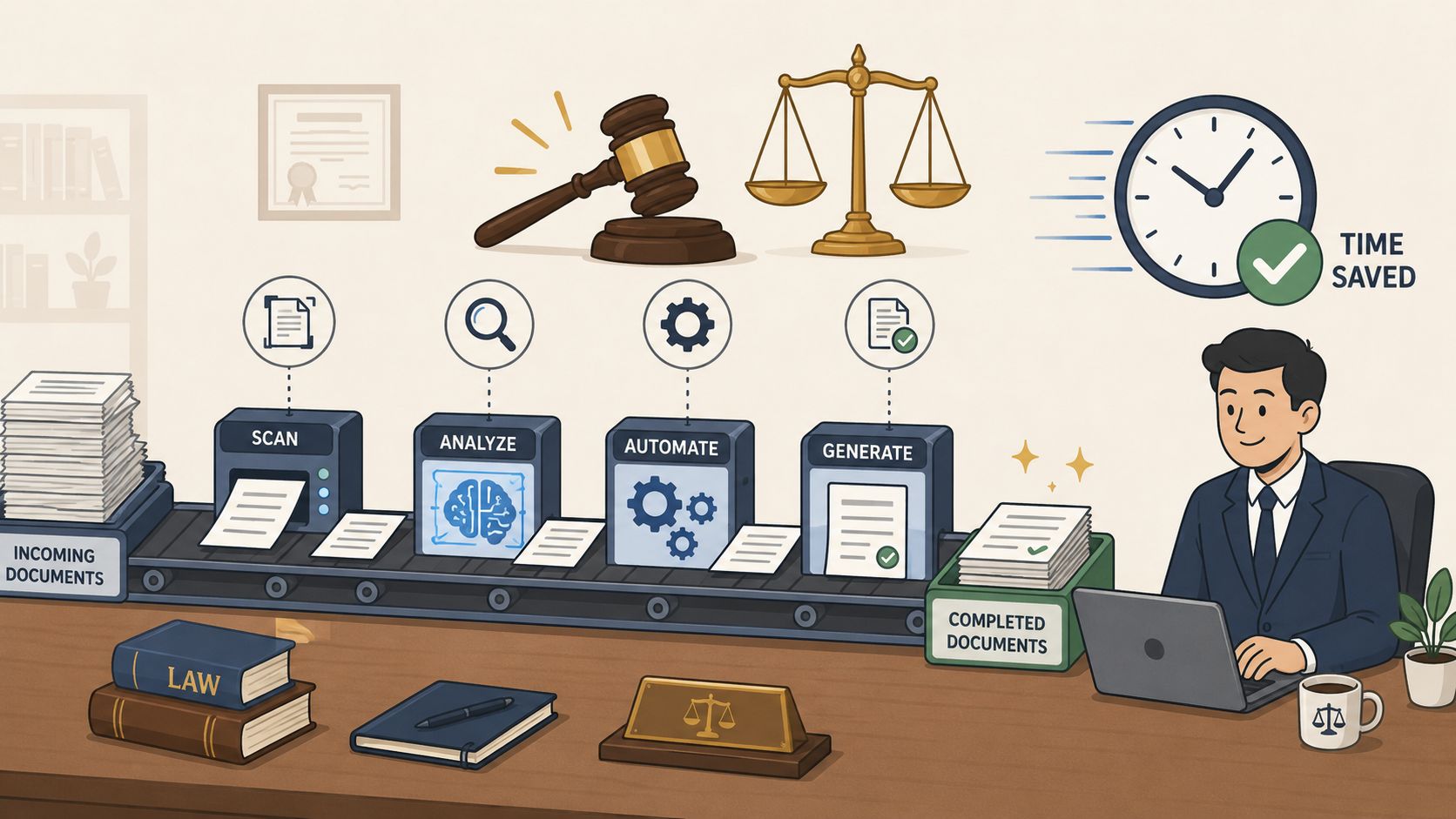
Legal workflow automation uses software, rules, integrations, and increasingly AI to move matter work through repeatable steps without requiring someone to manually push every item forward. Lawyers remain responsible for judgment, strategy, advice, and approval. The system handles routing, data movement, reminders, document generation, and other structured work.
Digitization isn't automation. Scanning a paper intake form creates a digital image. Automation takes the answers, checks required fields, routes the matter for conflicts, creates the record, assigns tasks, and triggers the next approved step.
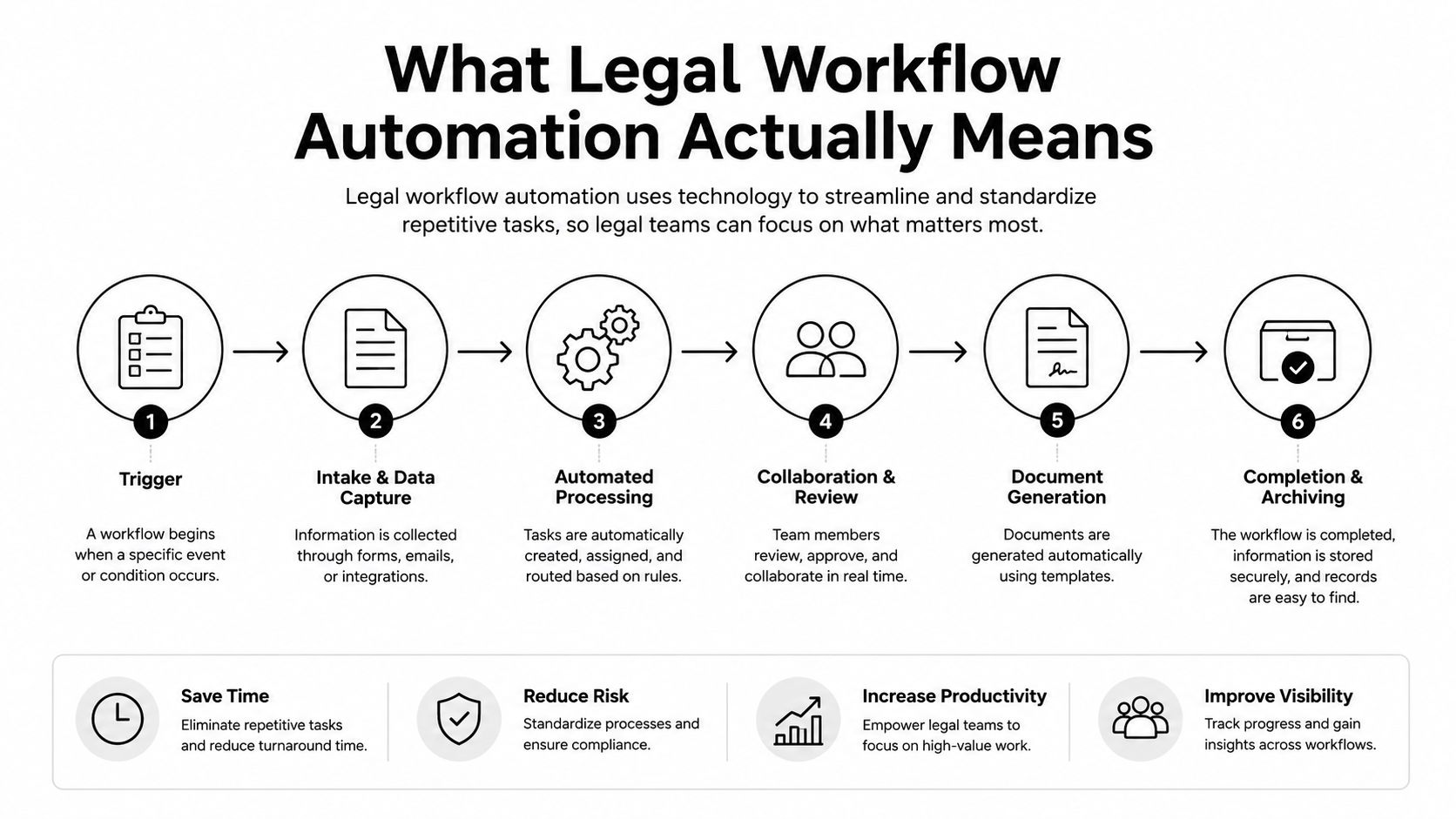
Client intake and conflicts. A structured form can collect matter details, connect with CRM and practice management data, and route conflict checks before an attorney spends time evaluating the opportunity.
Document assembly. Approved templates pull client and matter data into engagement letters, NDAs, pleadings, and transaction documents. Conditional logic handles variations without inviting someone to copy and paste the wrong party name into page seventeen.
E-billing and invoice review. Workflow rules can parse LEDGAR-format invoices, apply UTBMS task codes, and flag line items that need human review. The point isn't to let software make a final payment decision. It's to send the right exceptions to the right reviewer.
Discovery triage. Technology-assisted review and continuous active learning can prioritize documents, while privilege logging and redaction review remain governed processes with human quality control.
Deadlines and calendars. Court rules, matter triggers, docketing engines, reminders, and escalations can work together so a deadline doesn't depend on one person remembering to update a shared calendar.
AI agents sit on a spectrum. At one end are predictable rules, such as “when an engagement letter is signed, create the matter checklist.” At the other is generative drafting, where a system proposes language from structured inputs and approved sources. Firms exploring AI legal document drafting should focus less on novelty and more on source control, review obligations, and audit trails. For a practical look at the mechanics, see legal document automation workflows.
Automation earns approval only when the firm names the failure modes alongside the savings. Vendor decks highlight speed. Partners should ask who owns the exceptions, what happens when source data is wrong, and how quickly the firm can recover.
The commercial case is substantial. One 2026 forecast puts legal document automation software at USD 2.61 billion in 2025, USD 2.98 billion in 2026, and USD 6.49 billion by 2031, with a projected 16.82% CAGR from 2026 to 2031. (Legal Document Automation Software Market forecast) The growth reflects repeatable work across intake, drafting, compliance, e-discovery, and matter administration. It also concentrates risk: one bad rule, stale template, or contaminated data source can affect every matter in its path.
| Benefit | Risk |
|---|---|
| Faster routing for intake, approvals, and routine documents | A bad rule can route every matter incorrectly |
| More consistent use of approved templates | Stale templates can spread outdated language quickly |
| Better visibility into tasks, budgets, and matter status | Fragmented systems can create conflicting records |
| Reduced manual re-entry | Incorrect source data can contaminate every downstream document |
| Stronger audit trails for structured processes | Poor access controls can expose privileged information |
| Human reviewers spend more time on exceptions and judgment | Overconfident users may treat AI output as final legal work |
The governance problems demand operational controls. Review data residency and cross-border transfers before implementation. Limit privilege leakage from prompts, training practices, and poorly scoped permissions. Examine vendor lock-in created by proprietary connectors, then address unauthorized practice of law and professional duties such as ABA Model Rules 1.1 and 1.6. Client audit rights can add another layer of scrutiny.
Automation doesn't remove responsibility. It changes where responsibility sits.
Start with workflows that have clear rules, structured outcomes, and manageable consequences when a person checks the result. Keep one accountable owner for approval, require signoff on AI-assisted work, and retain usable logs. On-demand paralegal support can make this control model practical, giving firms trained capacity to review exceptions, maintain templates, and correct workflows while the system is still learning.
Automate repetitive execution. Keep ethical judgment with people.
A workable rollout has five phases. None begins with a product demo.
Put the managing partner, billing lead, and a senior paralegal in the same room. Map intake, drafting, approval, billing, and closing from trigger to archive. Mark every handoff, duplicate entry, exception, and decision that currently lives in someone's memory.
The senior paralegal matters because the workflow in the policy manual is rarely the workflow in production. Ask who touches the matter, what information they need, where they record it, and what happens when the information is incomplete.
Use five criteria:
Start with the DMS, email, and billing platform. Add CRM after the core matter record works. Leave court e-filing until the firm has stabilized the internal workflow. There's no prize for connecting the most systems first.
Use standard operating procedures for legal teams to document the approved process before encoding it. Otherwise, the software fossilizes informal habits.
Assign one owner to each workflow. Hold weekly 30-minute standups. Write a definition of done that specifies the trigger, routing, output, exception path, review requirement, and reporting.
Check privilege controls, data redaction, vendor SOC 2 documentation, encryption at rest and in transit, retention, access permissions, and the written incident playbook. A project without a named owner and deadline dies in committee. A project without a security review can create a much more expensive problem.
Vendor ROI decks are written to survive procurement, not scrutiny. “Save hours per attorney” means nothing until your firm can show which task changed, how often it occurs, and what happened to the recovered time.
Build a worksheet before the pilot. Track the same workflow before and after implementation, using the same definitions. A maturity benchmark identifies five stages, from foundational practice management through cross-tool workflows, deadline and conflict automation, AI-assisted drafting, and predictive operations. At the integrated stage, new-matter intake can fall below 5 minutes, while advanced workflow data can support capacity planning about 60 days ahead. (Legal automation benchmark model)
Convert the results using blended attorney and paralegal rates. Then subtract the fully loaded software cost, implementation hours, training, and the productivity dip that normally appears while people learn the new process.
| KPI | Baseline | Target | Annual $ Impact |
|---|---|---|---|
| Intake minutes per matter | Record current average | Reduce through connected intake and routing | Convert recovered staff time using blended rates |
| Standard contract packet hours | Record from version history | Shorten through approved templates | Convert recovered attorney and paralegal time |
| Realization rate | Pull from billing system | Improve through cleaner coding and review | Apply change to relevant billed work |
| Write-down percentage | Pull from billing system | Reduce avoidable billing corrections | Apply change to affected invoices |
| Missed deadlines | Count from calendaring records | Target zero missed statutory deadlines through controlled rules | Treat avoided risk separately from productivity value |
Independent benchmarking reinforces the point that depth matters. Among legal departments implementing workflow automation, 54% have six or more automated processes, and 24% have more than ten. (Workflow automation benchmarking whitepaper)
A single automated task can be useful. Connected intake, approvals, document handling, and reconciliation create the stronger business case because they remove repeated handoffs across the matter lifecycle.
The best automation stories aren't about buying the fanciest platform. They're about assigning a capable person to rebuild an ugly process, then letting software repeat the improved version.
The following playbooks use the implementation pattern firms should copy: identify the bottleneck, name the human doing the rebuild, automate the predictable work, and keep review where judgment belongs.
A personal-injury shop with 12 attorneys replaced a 14-question PDF and a triage email chain with a branching web form feeding Clio Manage. The qualified case count rose 31%, and intake-to-retainer time dropped from 11 days to 38 hours. The important operator wasn't the form. It was the person who translated screening rules into branching questions, defined the conflict path, and cleaned up incomplete submissions.
The lesson is blunt: a digital front door won't help if nobody has decided what qualifies, what gets rejected, and who reviews the exceptions.
A transactional boutique built an engagement-letter and NDA flow in Gavel. On-demand paralegals drafted the underlying conditional logic, tested variations, and maintained the approved language. First-draft turnaround fell from 90 minutes to 12, while revision cycles dropped from three to one.
That's the force multiplier. Attorneys supplied judgment about acceptable language. The paralegal converted that judgment into structured questions, conditions, and document outputs.
A litigation group used AI-assisted review inside Relativity to process a first pass over 42,000 documents. Contract paralegals handled quality control on privilege hits. Review hours fell 58%, and the team billed 14 more hours per associate on substantive work.
The software found and prioritized. Humans checked the difficult calls. That division is much more credible than pretending an AI review button replaces litigation judgment.
These examples share a pattern: automation improves after someone owns the rebuild. Without that person, firms tend to automate the visible step while leaving the messy exceptions untouched.
Software without a human in the loop becomes shelfware surprisingly fast. A workflow needs someone to test the intake questions, inspect failed document outputs, review exceptions, update rules, and tell the attorney when the system is behaving badly.
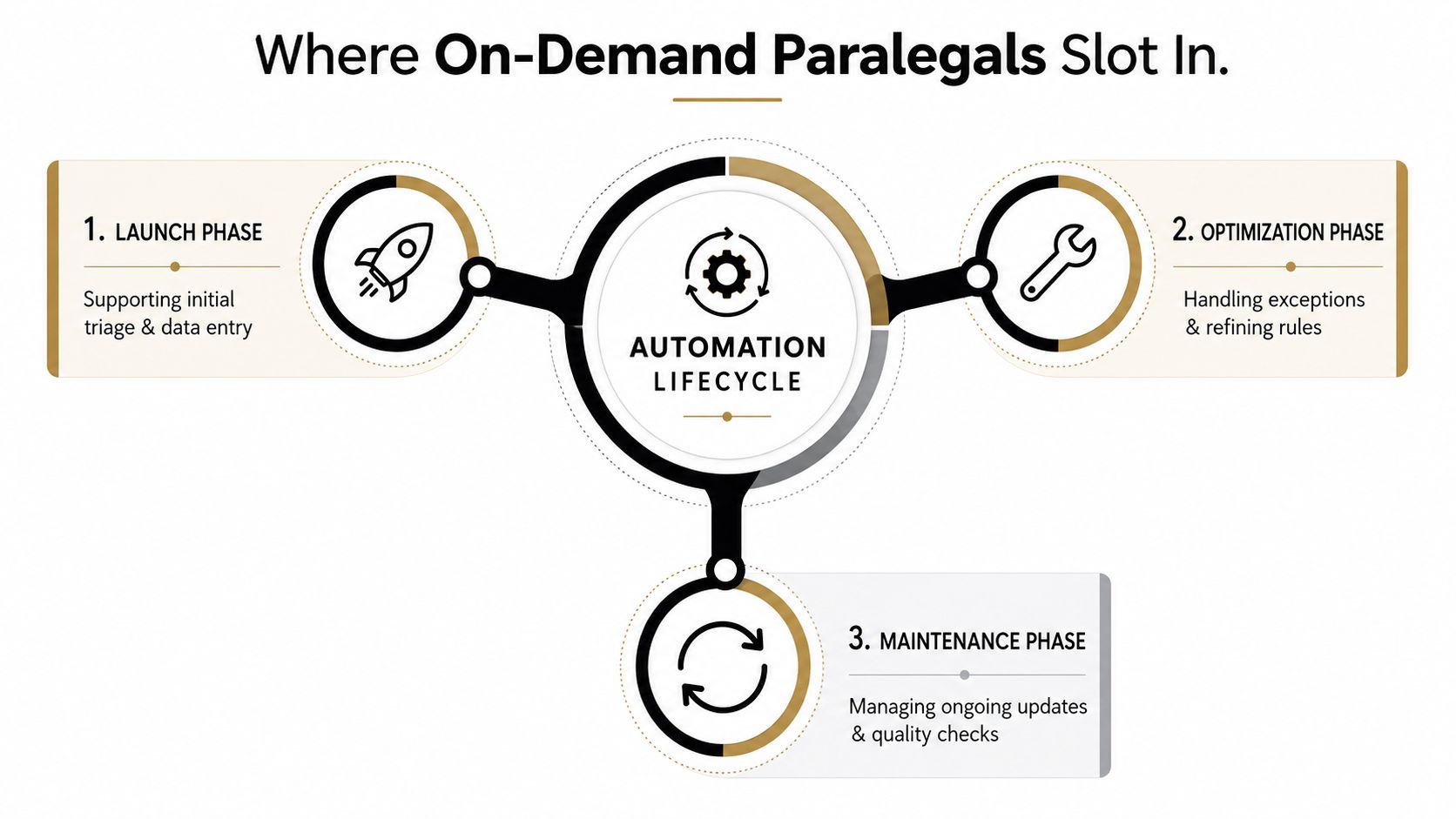
On-demand paralegal talent fits into every phase, but the responsibilities should stay clear.
During the first two weeks, a contract paralegal can triage intake submissions, validate required data, run conflict-check preparation, and record the exceptions the workflow produces. That feedback is more valuable than another vendor training session because it comes from actual matters.
During configuration, the paralegal can author template variables, document conditional logic, test edge cases, and compare automated drafts with approved examples. After launch, the same person can handle exceptions and refine rules without forcing a partner to become a part-time systems analyst.
Templates drift. Court forms change. Billing codes evolve. Firm preferences shift. Schedule maintenance sprints every 90 days to review outputs, update approved language, test integrations, and confirm that logs and permissions still work.
A contract paralegal should own structured preparation, data validation, template maintenance, first-pass review, exception queues, and quality checks. A partner or associate should retain responsibility for legal strategy, professional judgment, final approval, privilege decisions, and client advice.
Hire for platform fluency, not just years on a résumé. Look for experience with your practice management platform, document automation tools, discovery review software, and the specific workflows you're rebuilding. A specialized option such as HireParalegals can provide on-demand legal support, while contract review automation support can help preserve the human review layer around automated contract processes.
A 15-hour weekly engagement can become a practical operating layer once intake, conflict checks, templates, and deadline rules are tuned. The point isn't to add permanent overhead. It's to give the workflow a human mechanic until it runs reliably, then keep targeted maintenance capacity for the problems that always return.
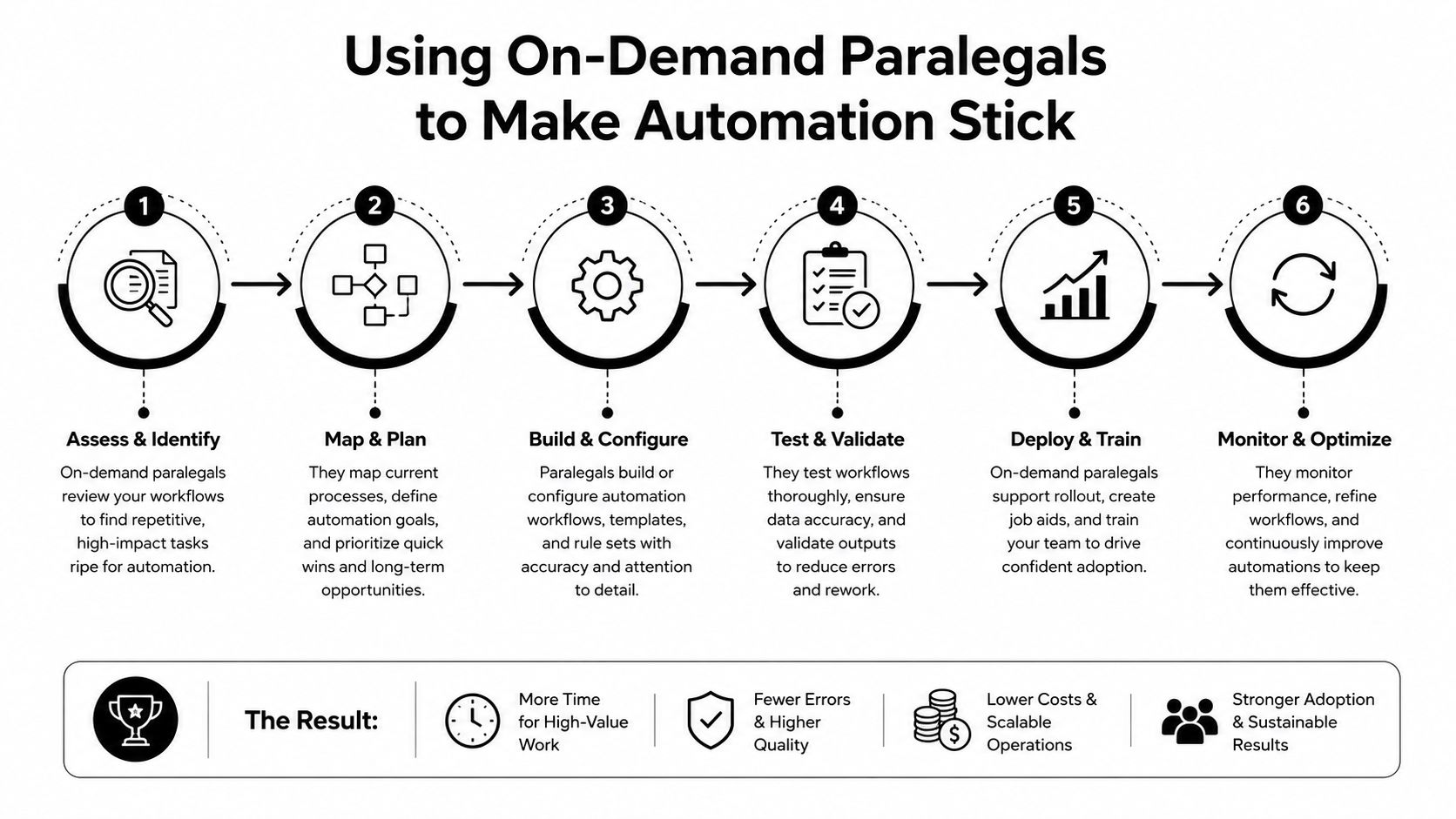
Give the operations lead a plan that fits on one page. No transformation theater. Just decisions, owners, and evidence.
AI adoption has already moved into mainstream legal operations. Thomson Reuters reports that the federal court system and courts in 47 U.S. states have adopted AI-powered tools, while more than 20,000 law firms and legal departments use AI, including 80% of the Am Law 100. (Thomson Reuters on agentic workflows for legal professionals)
That makes the decision less interesting than the execution. Pick one workflow this week, put a senior paralegal beside the owner, map the current state, and collect the baseline before anyone signs another vendor order form. If you want automation that survives daily practice, start with the work, not the booth.
Book a workflow audit with your operations lead and senior paralegal this week. Choose one intake, document, billing, discovery, or deadline process, document every handoff, and assign a single owner to the first pilot. Then measure the baseline before you automate, because the firms that can prove the gain are the firms that get permission to scale it.