 16 minutes read
The motion deadline is ninety minutes away. Your paralegal is elbow-deep in banker boxes, someone has saved three versions of the same brief in a shared-drive folder called “Final,” and nobody can say which contract is operative. The file room has become a scavenger hunt with billable hours attached.
That chaos doesn't just waste time. It damages client confidence, makes handoffs brittle, and creates a dangerous question when a dispute arises: Can the firm prove which document controlled, who changed it, and when? Legal file organization isn't clerical housekeeping. It's part of client service, confidentiality, retention governance, and defensible case handling.
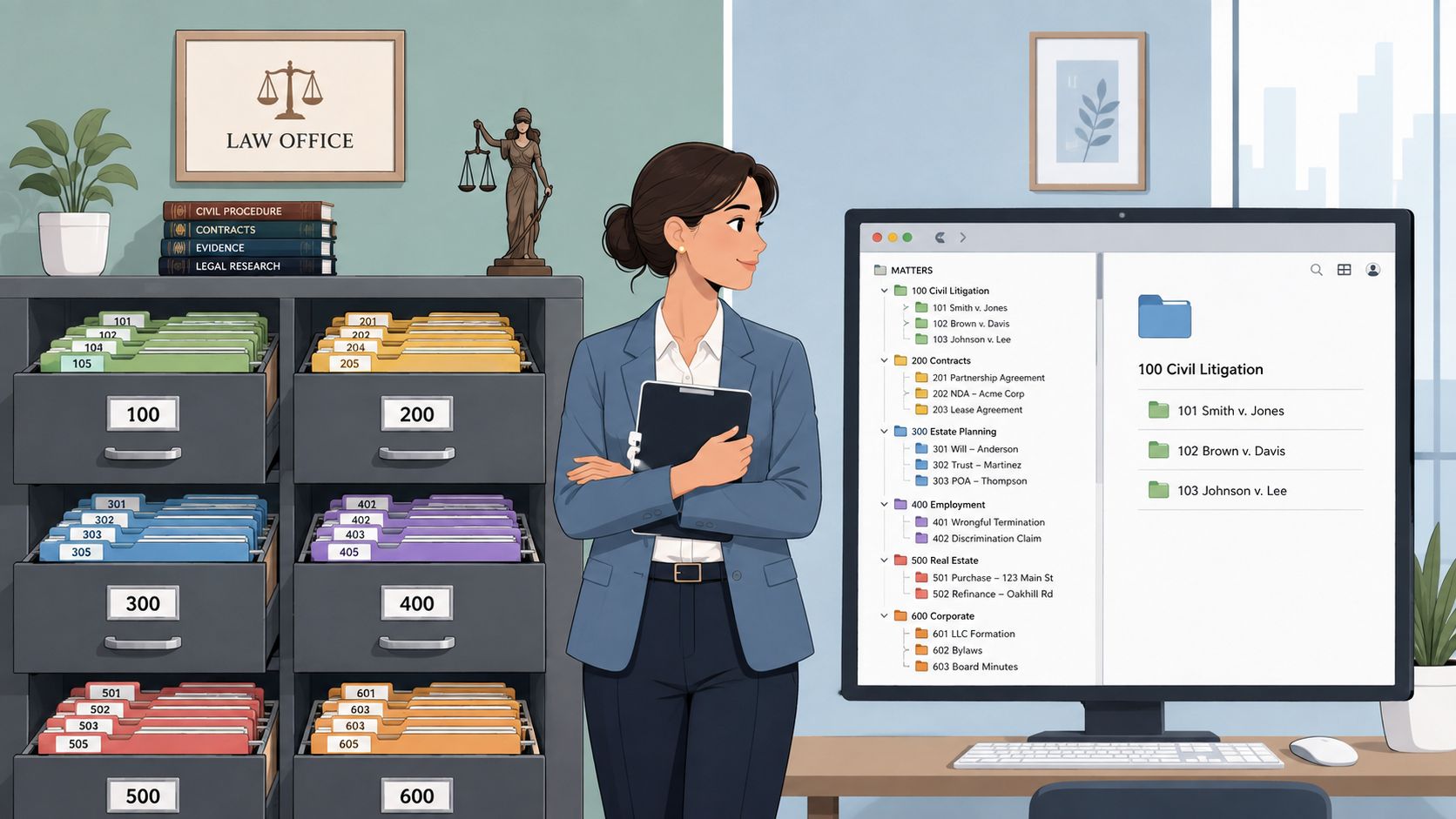
For much of the twentieth century, law-office records were managed manually. The American Bar Association's history of legal records management notes that until the early 1980s, many lawyers treated records management as filing papers into folders kept near the lawyer's office or secretary's desk. Before the 1960s, most offices had little or no dedicated file-management support, leaving secretaries, and sometimes lawyers, responsible for maintenance.
The modern firm needs more than a prettier folder tree. It needs an operating system connecting intake, naming, version control, OCR, metadata, retention, permissions, migration, and onboarding. Build those pieces properly, and this week's setup work becomes a reliable way to find the right record, protect sensitive material, and bring new staff into the system without teaching them bad habits.
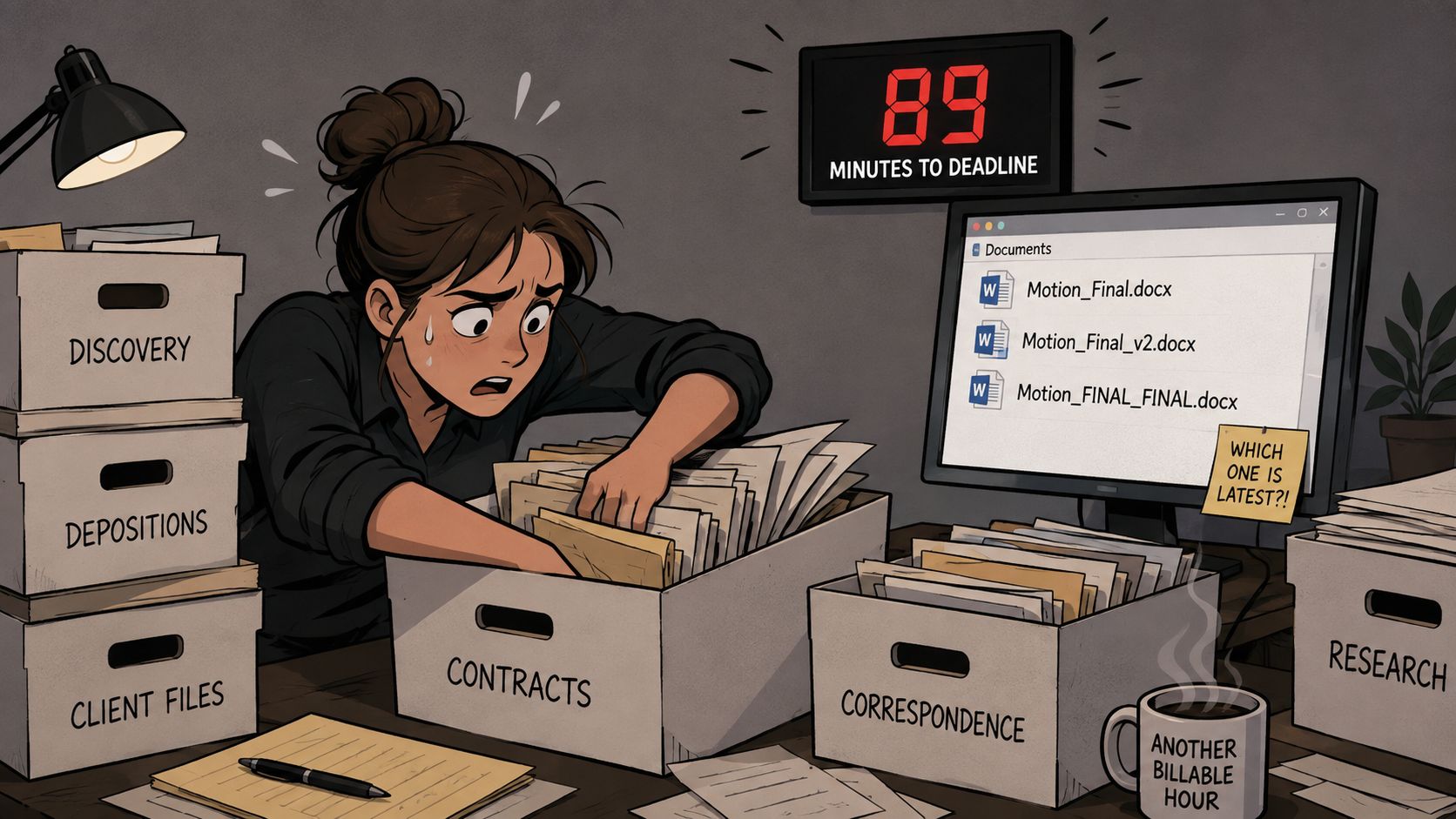
I've cleaned up enough disaster file rooms to recognize the symptoms. A matter has a client folder, a partner folder, a paralegal folder, and a mysterious folder created by someone who left the firm years ago. The paper file says one thing. The shared drive says another. Email contains the version everyone calls “latest,” which is usually the version least qualified for the title.
The immediate cost is obvious. Someone searches instead of drafting, re-requests a document the firm already has, or rebuilds a chronology because the original is buried under an unhelpful filename. The less visible cost is worse: missed context, inconsistent advice, awkward client calls, and work that gets billed because the system made retrieval unnecessarily difficult.

Practical rule: If a competent person can't find the operative record without asking its creator, the system isn't organized. It's merely familiar to one person.
Legal file organization also supports accountability. A controlled record should reveal its matter, document type, status, and version. It should sit in a location governed by permissions and retention rules, not in a desktop folder that disappears when a laptop is replaced.
The ABA's account of the profession's shift from desk-side filing to more formal records management explains why firms now need centralized storage, matter-based structures, and retrieval controls. Larger teams and multiple locations make informal memory a poor substitute for process.
This guide takes the practical route. You'll get a folder structure that mirrors paper and digital files, a naming convention that survives hurried lawyers, an OCR and metadata policy that avoids pointless tagging, and retention and access controls that don't depend on wishful thinking. You'll also get a migration plan and onboarding checklist designed to protect billable work while the old mess is retired.
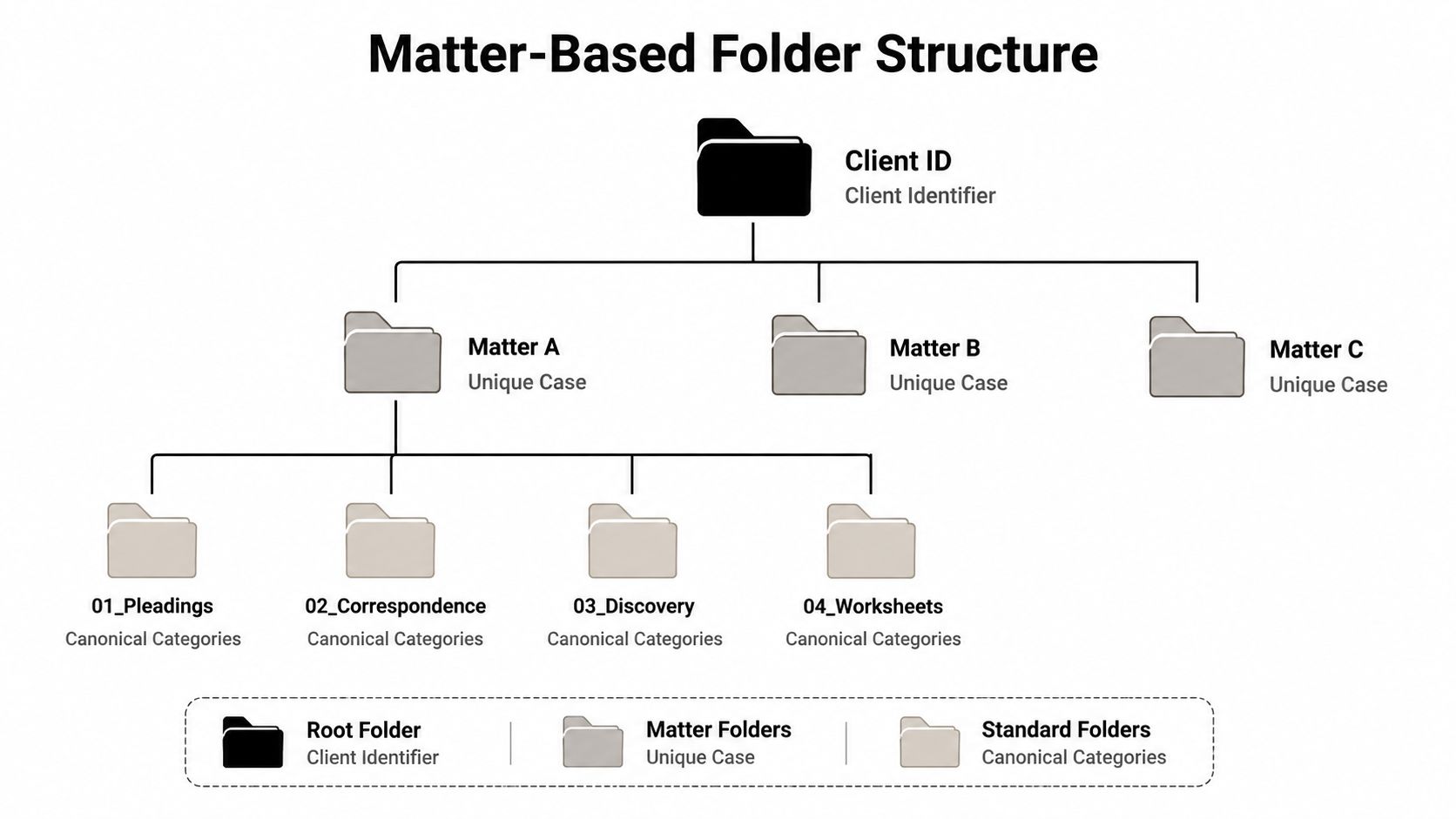
A useful structure starts with the client ID, not a person's preferred naming style. Use the client identifier as the root, then place each discrete matter beneath it. A single client may have several unrelated engagements, and combining them because the client name is the same is how confidential material wanders into the wrong workspace.
A practical digital path looks like this:
Use these standard subfolders:
01_Correspondence02_Pleadings03_Contracts04_Discovery05_Research06_Client_Documents07_Court_Filings08_Closing99_Administrative
The precise order matters less than consistency, but leading zeros keep folders sorted predictably across shared drives, document-management systems, and export packages. A matter number also beats a client name at the working level because it distinguishes engagements and reduces ambiguity when several teams touch the same client.
Mirror the structure in the physical file room. Use the same numeric prefixes on tabs, labels, and archive cartons. A paralegal moving from 04_Discovery on screen to tab 04_Discovery in a binder shouldn't need to translate one filing philosophy into another. Good systems remove mental translation. They don't admire it.
Litigation may need 04A_ESI for electronically stored information. Real estate may need 03A_Closing_Binder for transaction-specific closing material. Add-ons should answer a real retrieval need, not reflect someone's enthusiasm during a reorganization meeting.
The Louisiana State Bar Association practice aid recommends organizing by client and discrete matter, using consistent subfolders, filing documents promptly, and keeping paper and electronic taxonomies aligned. It also cautions against relying on numeric-only indexing because numbers without descriptive text increase the risk of filing errors.
That's the trade-off. A universal map makes adoption easier, but a rigid map can become awkward for specialist work. Keep the core stable, permit documented additions, and reject personal folder inventions. “Miscellaneous,” “Stuff,” and “Old New” are not categories. They're surrender flags.
Folders tell you where a document lives. Filenames tell you what it is before you open it. A durable naming convention uses four elements in a fixed order:
YYYY-MM-DD.v01 or v02.The date belongs first because it sorts chronologically. The matter ID prevents collisions. The document type makes search useful. The version suffix prevents “final,” “final2,” and “final-really-final” from becoming an unofficial records-management system.
| Lawyer Default | Corrected Filename | Rule Applied |
|---|---|---|
Smith_v_Jones_Motion_v2_FINAL.docx |
2026-03-14_SMJ-00491_Motion_to_Compel_v03.docx |
Date, matter ID, controlled type, explicit version |
brief latest.docx |
2026-03-14_SMJ-00491_Memorandum_Supporting_Motion_v01.docx |
Descriptive type and status |
signed contract new.pdf |
2026-03-14_ACM-00218_Purchase_Agreement_vS.pdf |
Matter ID and signed-status code |
contract final final.pdf |
2026-03-14_ACM-00218_Purchase_Agreement_vF.pdf |
Filed or final status is explicit |
The legal document naming guidance from Refyle recommends the ISO 8601 date format, with the date placed first, followed by a client or matter identifier, document type, and explicit version number. That format is intentionally boring. Boring is good when a search query needs to work during a deadline.
Decide whether the firm uses Motion_to_Compel, Motion, or another approved term. Don't permit Mot, MotionDraft, and Mtn to describe the same class of document. Publish the vocabulary in a one-page cheat sheet and make it part of onboarding.
Version semantics also need a written rule. Use v01, v02, and so on for drafts. Reserve vF for filed copies, vS for signed copies, and vA for executed copies if those statuses fit the firm's workflow. Don't call a document final merely because someone is tired of editing it.
The golden rule: Nobody emails “the latest version.” Send a link to the matter folder, so the source of truth remains in one controlled location.
OCR is valuable when it makes a record discoverable. It's wasteful when the firm applies it indiscriminately to material that should never enter the record set.
Run full-text OCR at intake for inbox PDFs, court filings, and documents received from opposing counsel. Those records often contain the facts, dates, and language a team needs to locate across a matter. A searchable PDF lets a lawyer find a phrase globally instead of opening every scan like a detective with a printer problem.
Manual metadata earns its keep when people routinely filter by the field. Start with document type, matter phase, privilege status, author, and key dates, including filed, served, and executed dates. Cap required metadata at five fields per document type. Put everything else in optional fields unless the team can prove it supports a recurring workflow.
| Document Type | OCR Treatment | Required Metadata | Skip |
|---|---|---|---|
| Court filings | Full-text OCR at intake, verify legibility | Document type, filed date, matter phase, author, privilege status | Decorative tags |
| Opposing counsel productions | Full-text OCR where scans are image-based | Document type, received date, source, matter phase, privilege status | Manual summaries for every page |
| Exhibits | OCR when text search matters, preserve exhibit labels | Exhibit identifier, document type, source, date, privilege status | Replacing native originals |
| Transcripts | OCR or native text search, preserve page references | Proceeding type, date, witness, matter phase, privilege status | Tagging every speaking turn |
| Native email exports | Preserve native format, index searchable text | Sender, recipient, sent date, matter phase, privilege status | Flattening into image PDFs |
| Drafts and duplicates | Keep outside the OCR pipeline | Minimal location and status data | Treating every draft as a record |
OCR confidence should trigger review when text is garbled, names are misread, or page references fail. Re-scan the source instead of pretending an unreadable extraction is searchable. Exhibits and transcripts need their original pagination and labels preserved, while native email exports should remain native where possible.
Unprocessed material has a place too. Drafts, duplicates, and non-record junk should stay out of the OCR pipeline and, ideally, out of the official matter record. Search quality declines when the system indexes every abandoned thought a lawyer ever downloaded.
A closed matter can look harmless until someone needs the original agreement, a trust record, or a document covered by a legal hold. Then the storage room becomes an expensive guessing game. A written retention schedule prevents that scramble by separating active and closed matters, trust records, permanent records, legal holds, and material awaiting review.
For general client records, retain files for five years from the end of representation (per ABA guidance), as summarized in ALA's legal records-management guidance. Jurisdictional rules may require longer periods, so treat that period as a baseline, not a universal substitute for local review. Records guidance also supports assigning periods to defined categories, storing them in the firm's records system, and keeping them retrievable until review and authorized disposal. Retention should follow the record category and its trigger, not a vague instruction to keep everything forever.
Trust records need separate handling. The Washington State Bar Association document-retention guide says trust-account records and related documents must be kept for at least seven years after the events they record. Records for non-cash client property should identify the property, owner, date received, and safeguarding location. Missing one field can turn a simple inventory question into a reconstruction project.
A closed file should not occupy storage indefinitely, but deletion cannot be an informal cleanup afternoon. The Oklahoma Bar Journal's file-retention guidance recommends a written policy addressing retention, return of originals, copy-request costs, and client notification about eventual destruction.
Use a documented workflow:
Litigation holds, regulatory investigations, matters involving minors, and wrongful-death claims should never be auto-purged. State rules can extend ordinary periods, so the schedule needs a jurisdiction lookup rather than one hard-coded number. Retention is a governance decision, not a setting delegated to a storage vendor.
| File Category | Minimum Retention | Destruction Trigger | Auto-Purge Eligible |
|---|---|---|---|
| General client records | Five years from the end of representation (per ABA guidance) | Scheduled review, required notice, approval, and logged destruction | Only after hold and jurisdiction checks |
| Trust-account records | At least seven years after the recorded events | Schedule expiration, review, approval, and complete log | Only under controlled policy |
| Non-cash client-property records | At least seven years after the recorded events | Property reconciliation, review, approval, and log | Only after every required field is verified |
| Closed matter files | Firm and jurisdiction-specific schedule | Longest applicable obligation has expired | Not while exceptions apply |
| Litigation-hold material | Hold governs | Written release of the hold | No |
| Regulatory-investigation material | Investigation status governs | Written clearance | No |
| Minor or wrongful-death matter files | Special review required | Partner-approved, jurisdiction-specific decision | No |
A role name isn't a permission policy. Clio, MyCase, PracticePanther, NetDocuments, and iManage may present different menus and role models, but the firm still needs to decide who can read, write, delete, share, print, download, and alter retention settings.
Start with a permission matrix, then apply it by matter and document class. A partner overseeing a matter should see its working records. An associate staffed on the matter needs working access, while related-matter access may be read-only. A paralegal assigned to the matter needs write access there and read access to support files. An assistant shouldn't have access to trust records or confidential work product merely because the platform's default role grants it.
| Role | Client Files | Work Product | Trust Records | Administrative |
|---|---|---|---|---|
| Partner | Read and manage assigned matters | Read, write, approve, and share under policy | Controlled access when responsible | Read and approve |
| Associate | Read and write staffed matters | Read and write staffed matters | Restricted unless assigned | Read as needed |
| Paralegal | Read and write assigned matters | Read and write within assignment | Restricted by role and matter | Read and update assigned items |
| Assistant | Limited client-file access as assigned | No routine access to confidential work product | No access | Read and update approved administrative items |
Matter-level permissions are easier to administer and suit most working files. Document-level permissions help isolate unusually sensitive material, such as privileged investigations or executive communications, but they create more maintenance and more opportunities to lock out the people doing the work.
Team-based permissions are efficient when stable groups handle recurring matter types. They become risky when staffing changes faster than group membership. Use them for convenience, then verify individual access at the matter level.
Audit logging should answer practical questions: who opened a document, who shared it externally, who printed or downloaded it, who modified it, and who changed retention settings. If the platform can't answer those questions, the firm is buying a filing cabinet with a login screen.
Regardless of vendor, enforce MFA on every account, session timeouts, external sharing blocked by default, and a quarterly access review. The responsible partner should confirm that each person on every matter still belongs there. Departures, transfers, and concluded engagements should trigger immediate review, not a quarterly surprise.
A migration goes wrong when one person tries to rename everything while lawyers are still drafting, staff cannot find current files, and the old system remains in use “temporarily.” Temporary systems have a habit of becoming permanent. Assign ownership, work in phases, and test retrieval before expanding the change.
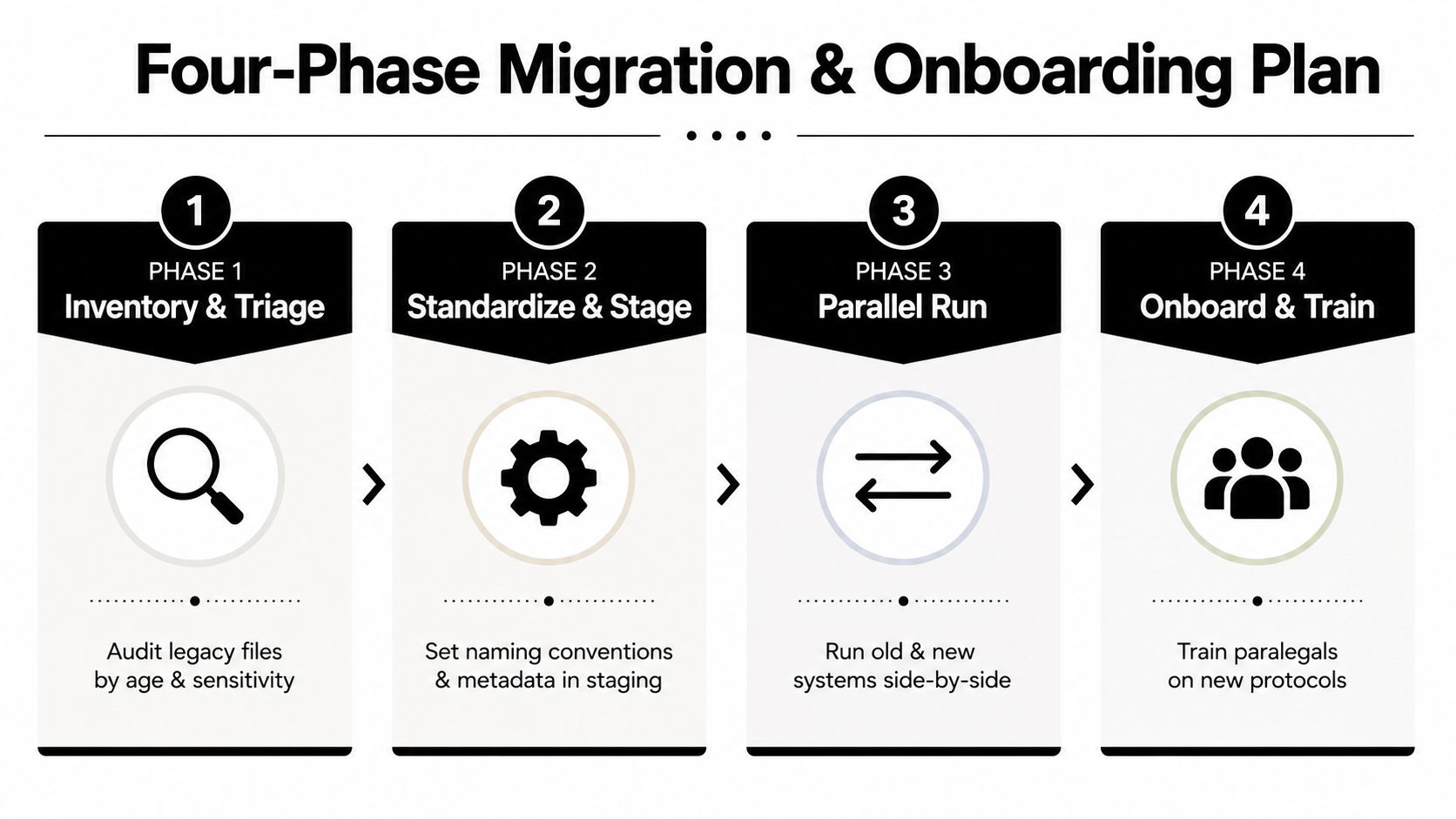
Phase one, inventory and triage. List legacy files by matter age, sensitivity, format, and apparent status. Mark duplicates, closed matters, trust records, privileged material, and files that may be subject to a hold. One migration lead should make decisions and manage escalations.
Phase two, standardize and stage. Copy candidates into a staging directory. Apply the approved folder map, naming convention, metadata rules, and OCR requirements there first. Do not rename live working files while a lawyer is drafting against them. That creates competing versions and avoidable confusion.
Phase three, parallel-run. Keep the old and new systems available during a 30-day overlap, using the Louisiana State Bar Association's practical file-organization guidance as a reference for matter hierarchy and consistent filing. Schedule batches when staff can support them, limit migration hours so the project does not consume routine work, and test retrieval on active matters before moving the next group.
Phase four, decommission and onboard. After validation, document what moved, what stayed, and why. Destroy paper only under the firm's retention and hold rules, while preserving required originals. Then train staff on the actual system, folder structure, naming rules, search methods, and exception process. Vendor demos rarely resemble Tuesday afternoon in a busy matter room.
Give each paralegal a short, supervised path:
Keep four templates in the shared training area: a matter-intake form, legacy-file triage worksheet, naming-convention one-pager, and onboarding sign-off sheet. Measure each paralegal's time-to-find on three sample matters before and after rollout. The result should expose friction, not decorate a status report.
For firms scaling remote support, HireParalegals is one staffing option among others. Its platform connects US law firms with remote paralegals, legal assistants, junior attorneys, and other legal professionals, and provides candidate shortlists, interviews, and payroll support for certain international hires. Whoever joins the team, make the file protocol part of onboarding from the first matter, before the inbox catches fire.
Start with one active matter, one closed matter, and one paper-heavy file. Assign the migration lead, publish the naming cheat sheet, create the canonical folders, and run the retrieval test before expanding the system. If extra capacity is needed without sacrificing client work, review qualified remote legal-support candidates through HireParalegals, then make legal file organization part of first-matter training.