 16 minutes read
Only 40% of U.S. law firms answered prospective-client phone calls in the 2024 Clio secret-shopper study described by the Illinois Supreme Court Commission on Professionalism. That finding reframes the law firm client intake form problem. Collecting more information won't help much if nobody is available to act on it.
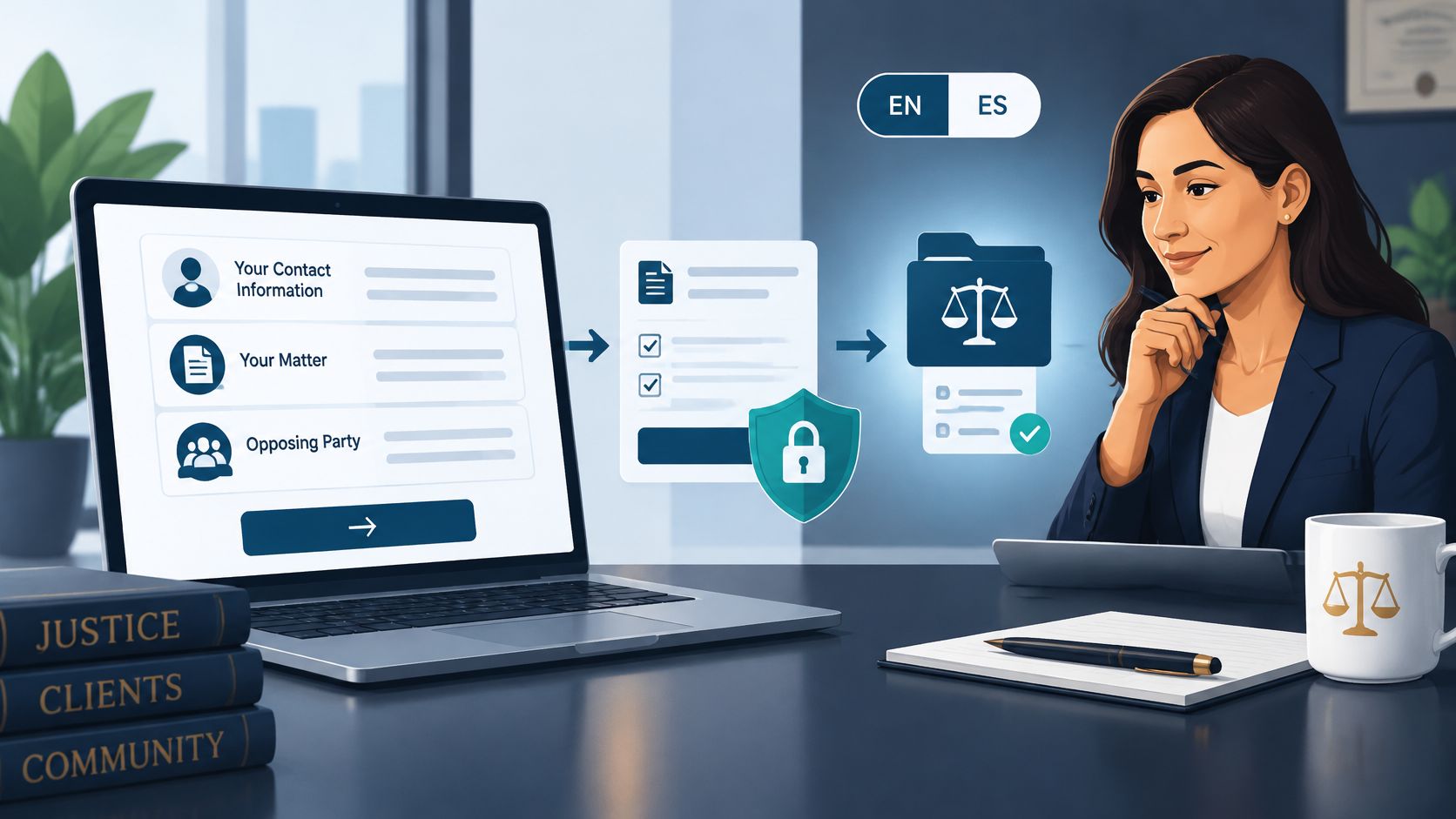
A useful intake form starts as a short routing and conflict screen, not a request for the prospective client's entire story. It captures contact information, matter type, location, relevant parties, and urgency. Then a named person reviews the submission, follows an approved process, and records the next step.
The trade-off is real. Ask too little and staff must chase basic details before they can route the inquiry. Ask too much and you invite sensitive disclosures before checking conflicts, while making a stressed visitor work harder to contact you. Neither a lengthy questionnaire nor an automated acknowledgment solves an unattended intake queue.
For solo lawyers, practice managers, and small-firm owners, the practical answer combines field design with staffing: decide what belongs on the public form, what waits for review, who responds, and when overdue submissions escalate. The standard isn't a perfectly completed questionnaire. It's an inquiry that reaches the right person without unnecessary disclosure or an avoidable delay.
Start with the questions that change routing, conflicts, or urgency. Your public form should help staff identify the inquiry and select the next action, not prepare a complete case assessment before anyone has checked the names.
The ABA practice-management TechReport describes website information collection in which 90% collected names, 73% collected telephone numbers, and 42% collected email addresses. Those figures concern firms that already had websites, not all firms, and they don't establish that visitors will complete a longer questionnaire. Treat contact capture as the beginning of intake, not permission to add every question your attorneys might eventually ask.
What the first intake screen collects and what waits
| Stage | Collect | Why | Hold back |
|---|---|---|---|
| Public first screen | Name, phone, email, preferred channel, matter type, jurisdiction, opposing parties, urgency | Route the lead and start a conflict check | SSN, medical files, ID uploads, bank data, long narrative |
| After a person reviews conflicts | Key dates, referral source, related entities, short description of the issue | Triage and assign without a second cold call | Requests for legal advice or outcome predictions |
| Practice-specific second form | PI: accident date and insurer names; family: other party and children; immigration: matter type and deadline; litigation: court and case status if known | Match the right checklist without one giant form | Full records until the firm decides to evaluate further |
The public-screen row establishes who is contacting you, which team should respond, and which names need screening. Use separate fields for opposing people and companies rather than hoping someone mentions them inside a narrative. Offer an unknown option where appropriate so visitors don't invent an answer just to submit.
The review-stage row adds context without requiring staff to start from scratch. Confirm related entities and spelling, collect the referral source, and ask for a concise account once someone has assessed the initial conflict information. Marketing attribution matters, but it shouldn't block someone who can't remember how they found you.
The practice-specific row prevents one giant questionnaire from becoming everyone's problem. A personal-injury inquiry can progress to accident dates and insurer names without requesting the full medical file. Family intake needs the other party's identity early and children's names when relevant to screening, not an unrestricted custody narrative; immigration intake can establish matter type and urgency without a passport upload.
Use these questions in this order, with short explanations where a visitor might not understand the terminology:
Place the plain-language notice directly above the submit button, with an earlier warning against sending sensitive details. Don't hide it in a footer or make the visitor open another page to understand what submission means.

Editing rule: Delete any first-screen question that doesn't change routing, conflict screening, or urgency.
A mailing address, detailed treatment history, financial inventory, or lengthy account may become useful later. That doesn't make it necessary at first contact.
Build a staged form, then attach a response clock so every submission becomes an owned task. The form builder is only part of the implementation; the other part is deciding what staff must do when a submission arrives, fails to transfer, or remains unanswered.
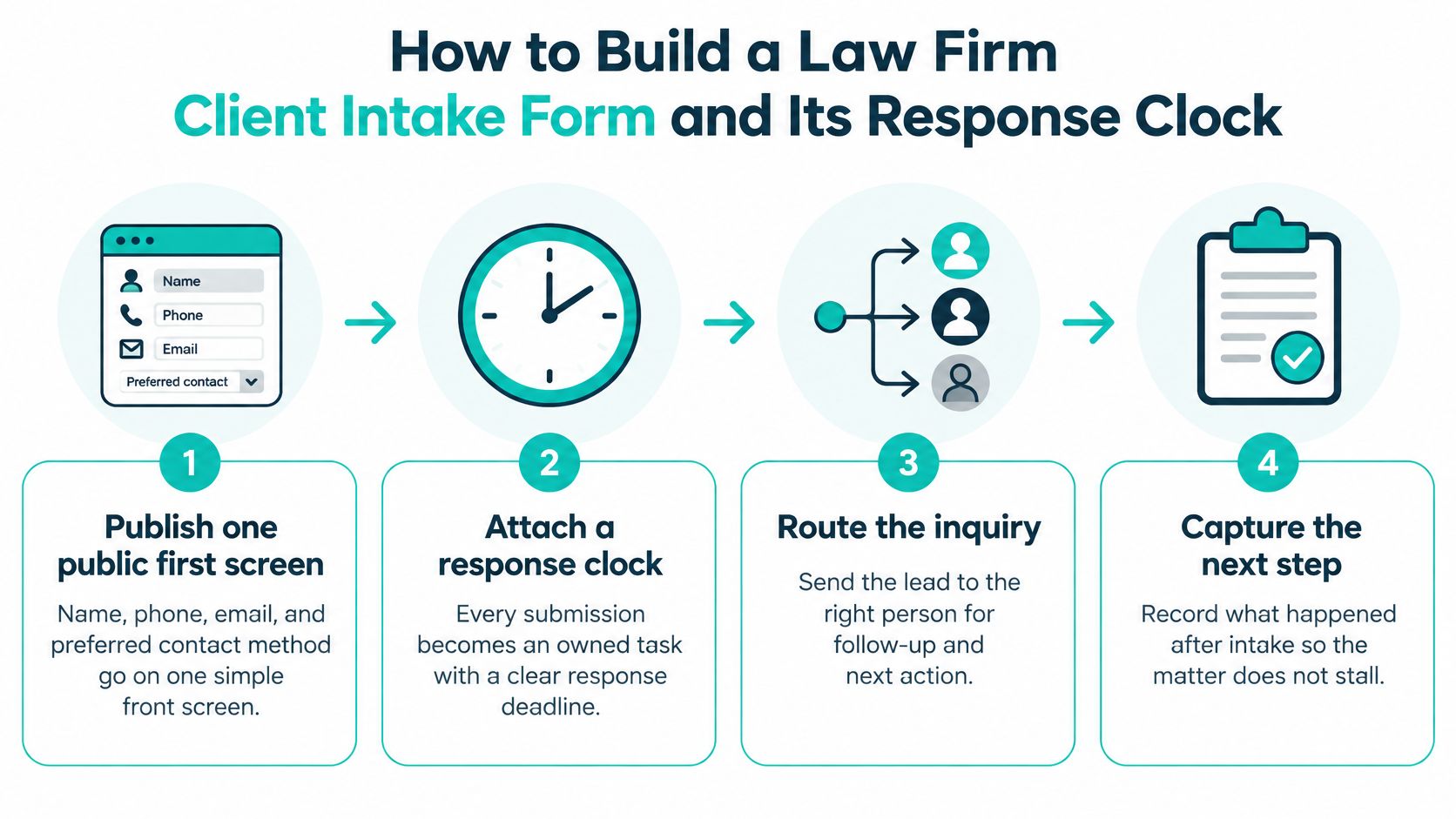
Publish one public first screen. Use the routing fields above and give existing clients a separate contact route. Otherwise, a current client's document question can enter the same queue as an urgent new inquiry.
Use conditional questions sparingly. Show relevant prompts after the visitor chooses a matter category. If you retain an initial description box, limit it to a few sentences and tell visitors not to include sensitive details.
Write an accurate acknowledgment. Name the firm, confirm receipt, and explain the expected next action. State that submission doesn't establish an attorney-client relationship or constitute legal advice.
Create the intake record in your existing system. Whether you use Clio, MyCase, Filevine, CASEpeer, SmartAdvocate, or Smokeball, verify the available connection before relying on it. Map the timestamp, source, matter type, jurisdiction, and a conflict status of not reviewed, then test that failed transfers produce an alert.
Assign a person and deadline. Make one employee responsible for the next contact, with a backup for absences. Escalate missed contacts, same-day deadlines, and possible conflicts through a documented attorney-review route.
Control substantive review. Keep sensitive uploads and conflict questions with the designated reviewer before anyone comments on the legal merits. Record contact attempts and outcomes so the next staff member doesn't restart the conversation.
A legal intake specialist's responsibilities should reflect this handoff explicitly. Monitoring submissions, attempting contact, updating the record, and escalating exceptions are distinct duties, not an informal instruction to check the inbox when time permits.
The Hennessey lead-form response study examined 1,333 U.S. law firms and found 25% responded within five minutes, 56% within one hour, and 39% after two hours or not at all. Use those findings to challenge your staffing plan, not to treat any response interval as a guarantee of retention.
Intake response benchmarks to set a service target
| Measure | Figure | What to do with it |
|---|---|---|
| Online leads answered within five minutes | 25% of the studied firm websites | Investigate coverage before adding more form questions |
| Online leads answered within one hour | 56% | Treat an in-hours item older than an hour as a queue exception |
| Online leads answered after two hours or never | 39% | Escalate unowned and after-hours items |
| Firms answering prospective-client calls | 40% in the 2024 secret-shopper study described above | Don't assume the phone provides backup unless someone staffs it |
For an operating procedure, Pareto Legal's intake guidance supports immediate acknowledgment, named ownership, recorded contact attempts, and escalation. Set a five-minute in-hours human-response target if you can staff it, distinguishing an actual contact attempt from the automated receipt. Publish a different, honest expectation for after-hours submissions.
A Legal Intaker guide citing MyCase customer results reports 58,395 leads and 10,286 clients from customized intake forms in 2023, averaging 17.6% conversion. That's a directional result from one customer population, not an expected rate for your firm or proof that a particular form caused retention.
Track completion, qualified-lead rate, conflict-review rate, first-response time, consultation rate, signed-matter rate, and abandonment by field and mobile versus desktop. Review results by practice area and source so a rise in unsuitable inquiries doesn't look like successful intake.
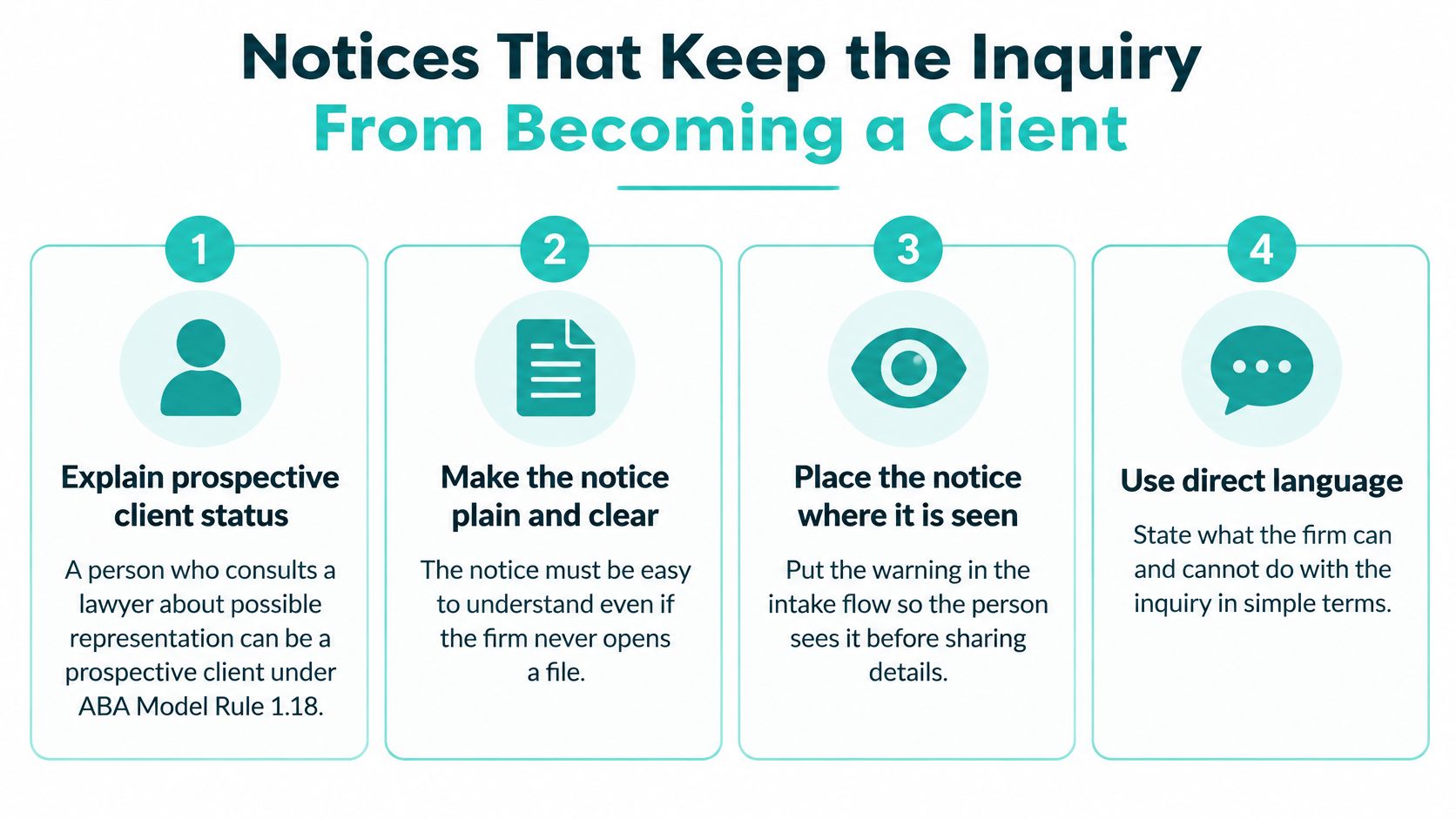
A notice should explain the limits of the interaction, not promise that a disclaimer prevents every duty from arising. Under ABA Model Rule 1.18, someone consulting a lawyer about possible representation can be a prospective client even when representation never begins.
That distinction belongs in plain language before the visitor shares details. Have counsel adapt the wording to your jurisdiction and actual engagement process rather than copying a notice that describes procedures your firm doesn't follow.
Submitting this form does not create an attorney-client relationship or mean that our firm has agreed to represent you.
The surrounding notice should address these points:
Keep the warning close to the fields and repeat the essential no-representation sentence at submission. A checkbox can document acknowledgment, but it doesn't replace readable wording or a sound intake process.
ABA Model Rule 1.6 requires reasonable efforts to prevent unauthorized access to or inadvertent disclosure of representation-related information. That's not a promise that ordinary email is a secure vault, nor should the notice make an absolute security assurance.
Use a secure form service, restrict access by role, and enable multifactor authentication where available. Keep sensitive content out of notification emails and prohibit staff from forwarding submissions to personal inboxes. Give remote staff access through firm-approved accounts, with a documented process for removing access when assignments end.
For Spanish-speaking prospective clients, provide the same questions, warnings, and next-step expectations in Spanish. Have someone familiar with the firm's legal terminology review the translation; an unchecked machine translation shouldn't define the limits of your relationship. Assign someone capable of continuing that conversation so the translated form isn't a dead end.
Test keyboard navigation, field labels, visible error messages, and phone usability. Avoid timers that erase a half-finished submission, and provide an alternative contact method when someone can't use the form.
The ABA's discussion of modern client intake emphasizes confidentiality, secure systems, and attorney supervision of AI. Use automation to hide unnecessary questions or create tasks, but don't let an opaque score independently reject an inquiry or decide whether to accept a matter. Counsel should review the notice and collection process especially carefully before later stages request medical, financial, or immigration documents.
The failure that looks most like thoroughness is a public form asking for the whole story before anyone checks the names. Missing an adverse party isn't cured by collecting a detailed chronology, and an unrestricted upload box can deliver material the firm didn't need to receive.
Prospective-client information doesn't become freely usable because the firm declines the matter. Significantly harmful information can restrict adverse representation in the same or a substantially related matter, with exceptions subject to specific consent or screening conditions. Don't assume a generic disclaimer resolves that exposure; make your lawyer conflict-of-interest process part of intake design and attorney supervision.
Duplicate submissions need identity checks, not automatic merging. A person may submit online, call later, and have a spouse submit separately. Search phone and email before creating another record, but verify identities before combining anything, particularly where family members may have different interests or unsafe shared contact channels.
Acknowledgments shouldn't answer legal questions. Staff can confirm receipt, explain scheduling, and request approved screening information. They shouldn't suggest that a claim is timely, predict an outcome, or reassure someone that the firm will protect a deadline before an attorney has authorized that responsibility.
An inbox isn't a complete system of record. Move the inquiry into approved practice software with ownership, status, contact history, and an audit trail. Keep notification emails brief so deleting an email doesn't erase the only record of a promised follow-up.
Control test: Can another authorized staff member identify who owns the inquiry, what happened, and what's due next without searching someone's personal messages?
Incomplete forms need a disposition. If a visitor provides contact details but omits the opposing party, request that information without soliciting the merits. Mark the inquiry as awaiting information rather than treating an incomplete conflict check as clearance.
The intake repository may contain birth dates, financial information, medical records, or identification images, especially after second-stage collection begins. Assign an owner for access logs, retention rules, backups, and suspected-incident escalation before a problem occurs.
The FTC's data-breach response guide directs businesses to address notifications to law enforcement, affected businesses, and affected individuals, along with identity-theft risks. Applicable duties depend on jurisdiction and the information exposed, so obtain prompt legal advice rather than relying on a single national notice template.
Give staff a short incident procedure:
Finish your operational review with an after-hours phone test. Submit a clearly identified test inquiry, check the acknowledgment, and confirm that a named person owns it by morning. A message sitting unread in a shared mailbox isn't an assigned task.
A solo lawyer in court can't reliably monitor a live intake queue. Adding questions won't cover that absence, and asking everyone to keep an eye on submissions usually leaves responsibility unclear.
Choose an internal intake owner or supervised remote specialist based on actual coverage needs. The relevant comparison isn't salary versus an hourly rate; it's whether someone can respond during your stated hours, use the firm's system correctly, and reach an attorney when a submission requires judgment.
| Option | Useful when | Trade-off to manage |
|---|---|---|
| Existing in-house employee | Intake volume fits a genuinely protected part of the role | Reception, billing, or case work can interrupt response coverage |
| Dedicated in-house intake hire | Live coordination and sustained inquiry volume justify a separate position | You must recruit, train, and provide absence coverage |
| Supervised remote intake specialist | The firm needs defined coverage without an on-site position | Access controls, scripts, escalation, and supervision must be explicit |
Define the job narrowly: answer and qualify inquiries using approved criteria, book consultations, update the case system, follow up on incomplete submissions, and flag possible conflicts or urgent dates. The specialist doesn't give legal advice, accept clients, or independently decide the merits.
For immigration, family, and plaintiff practices serving Spanish-speaking communities, require English and Spanish capability where your client population needs it. Test the candidate's ability to explain the notice and gather party names accurately, not just hold a casual conversation.
An interview exercise should resemble the actual queue. Give candidates a sample submission with a missing opposing-party name, an unclear deadline, and a request for advice; ask them to draft the contact note and identify what requires attorney review.
Virtual Legal Assistants is one option alongside hiring in-house, connecting U.S. firms with vetted remote intake candidates whom firms can interview before hiring without a deposit. Regardless of the hiring route, keep responsibility for scripts, permissions, training, and legal decisions inside the firm.
If intake currently lives in email, define email management responsibilities separately from legal review. Sorting and assigning messages can support intake, but access to the mailbox doesn't authorize someone to evaluate conflicts or advise a prospective client.
Make the coverage decision concrete:
A declined inquiry and an accepted consultation should both leave a record of who responded, what happened, and why the inquiry reached that disposition.
A law firm client intake form works best as a short routing and conflict screen supported by a named owner and a response clock. Keep the first interaction focused on the information staff need to direct the inquiry safely, and postpone long narratives and sensitive uploads until the firm has reviewed potential conflicts. A larger questionnaire isn't a substitute for that review.
Keep the acknowledgment accurate, make the notice understandable, and ensure any translated version communicates the same limits. Assign every submission, distinguish automated receipts from human contact attempts, and provide an escalation path for missed contacts, urgent dates, and possible conflicts. Requirements vary by jurisdiction, so confirm the process with qualified counsel before publishing.
Start this week by removing unnecessary public-form questions, assigning primary and backup coverage, and scheduling counsel's review of the notice. Test the complete path from a phone, including an after-hours submission, and inspect the resulting record rather than stopping at the confirmation page. The practical standard is straightforward: an authorized person should know what arrived, who owns it, and what happens next.
Virtual Legal Assistants offers remote legal intake support for firms that need help monitoring submissions, following up, scheduling consultations, and maintaining case-system records under attorney supervision. Visit Virtual Legal Assistants to discuss your coverage hours, language needs, and intake responsibilities before interviewing candidates.