 12 minutes read
Worldwide email traffic climbed from approximately 281.1 billion messages per day in 2018 to 361.6 billion per day in 2024, and projections put it at about 376.4 billion in 2025, 392.5 billion in 2026, and more than 408 billion in 2027 according to the Radicati Group's 2024 to 2028 Email Statistics Report. That scale is why law firm inboxes stop being a clerical problem and start becoming an operational risk. A mailbox now carries prospect intake, client updates, court messages, opposing counsel, vendors, and internal requests, all competing for attention at once.
For law firms, email management services are not just about clearing clutter. They're about turning a high-volume, unstructured message stream into prioritized action, documented follow-up, and defensible workflow. When the inbox is unmanaged, the result is predictable, missed deadlines, duplicate work, slow intake, and inconsistent follow-through. When it's handled well, the firm gets faster triage, cleaner delegation, and less attorney interruption.
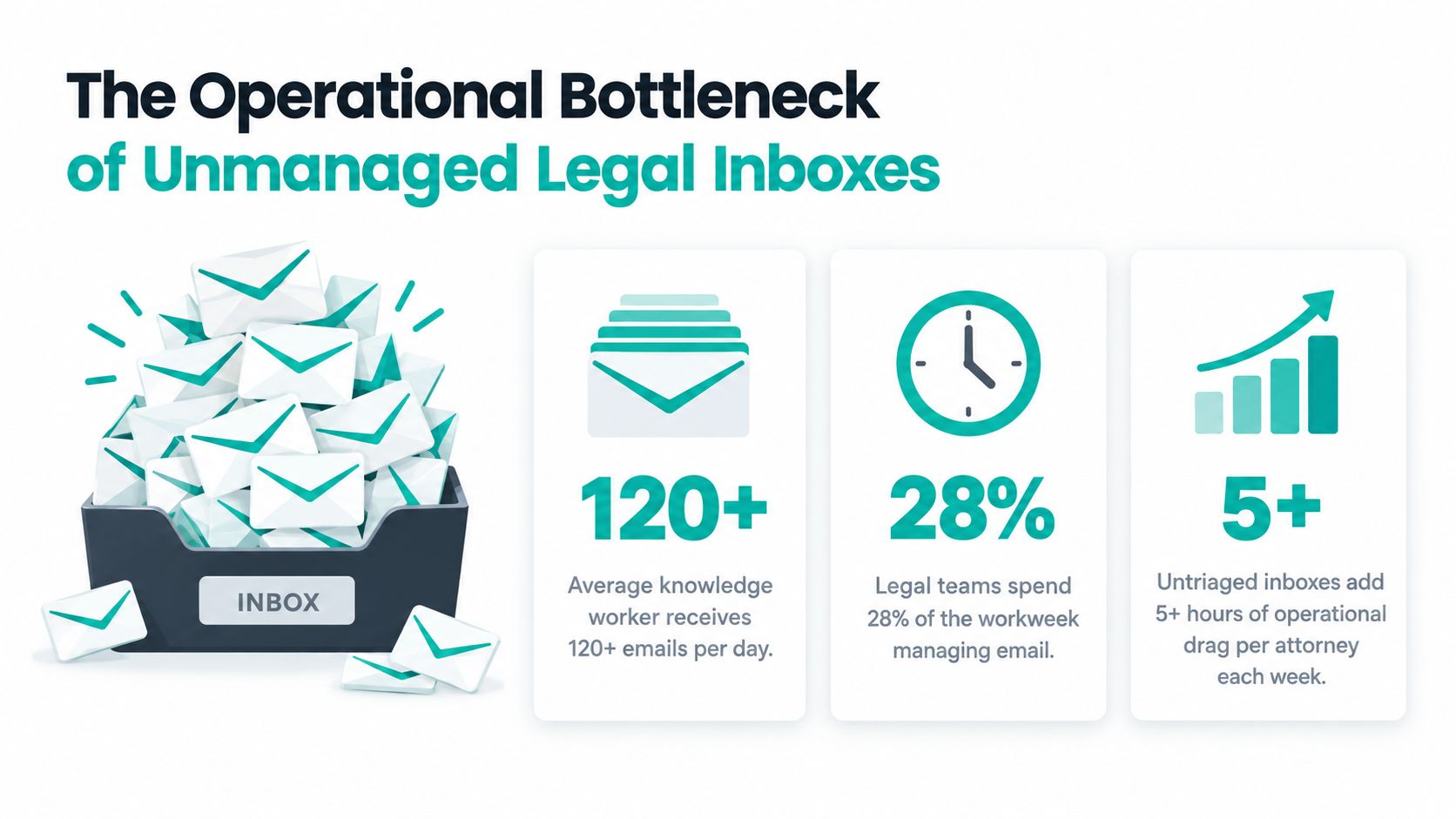
Legal email volume keeps growing because email remains the default system for formal and informal business communication. The historical infrastructure behind it goes back to the early 1980s, when SMTP and standardized message formats made it possible for messages to move between independently operated systems, and that interoperability still shapes how inboxes work today. The history of email matters here because modern inbox management still depends on sender identity, routing, headers, threading, and message history.
For a law firm, the operational problem isn't just that there are a lot of messages. It's that each message can trigger a different kind of action, intake call, conflict check, calendaring task, document request, filing follow-up, or client update. Attorneys don't usually lose time because one email is hard to answer. They lose time because dozens of untriaged messages make it impossible to see what requires immediate attention and what can wait.

A legal inbox is a workflow engine, not a storage bin.
That's why manual inbox clearing doesn't hold up at scale. A partner skimming messages between meetings may spot the urgent note, but they're just as likely to miss the thread that needs a callback, the message that belongs in a matter file, or the client who has already waited too long for a reply. The cost isn't only speed. It's confusion, uneven client experience, and a steady drain on billable focus.
Unmanaged inboxes blur the line between business development, active matters, and internal administration. A prospective client's intake form can sit beside a settlement email, while a court reminder gets buried under routine scheduling and billing questions. That mix creates avoidable risk because the firm's response standard becomes whatever the loudest message demands.
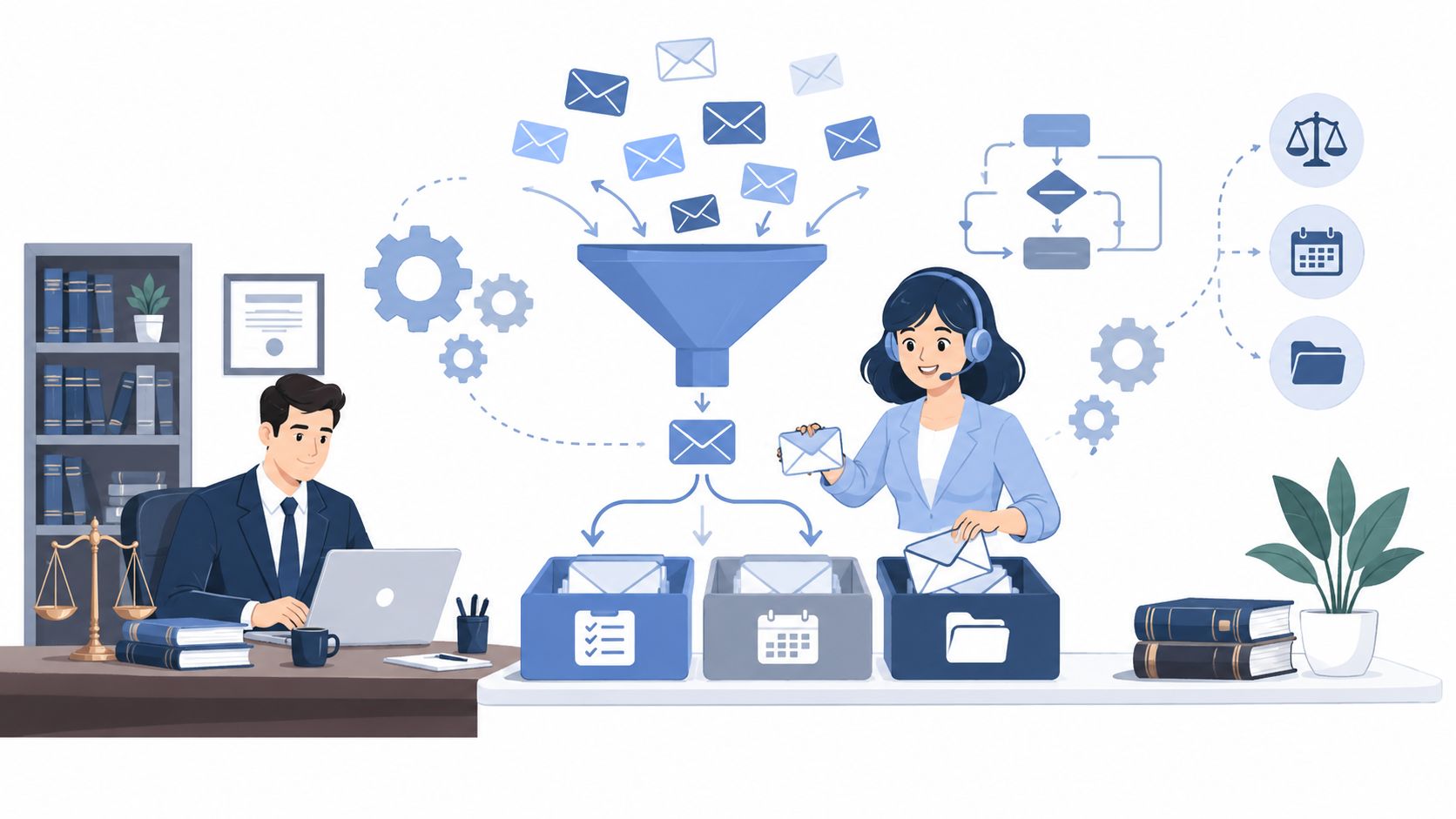
Specialized email management services solve that by converting messages into a controlled sequence of tasks. A message can become a calendar event, a matter update, a delegated follow-up, or an archived record with ownership attached. That shift matters because a law firm does not need more messages handled casually. It needs a process that makes each message visible, traceable, and assigned.
If you're trying to decide whether the inbox is still “manageable” internally, a useful test is simple. Ask whether the firm can consistently tell who owns each message, when it was received, when a human first replied, and what happened next. If not, the firm isn't managing email. It's absorbing it.
Law firms usually need more than one role in the inbox, because not every message deserves the same level of handling. A receptionist, intake specialist, legal assistant, and case manager each work a different part of the communication chain. The mistake I see most often is putting all of that into one general mailbox and hoping one person can sort it out on the fly.
The structure works better when the inbox is treated like a routing layer. Reception handles immediate contact and message capture. Intake decides what's a lead and what isn't. Legal assistants and case managers deal with matter support, records, and follow-up. That division keeps routine work moving without forcing attorneys to triage every thread themselves.
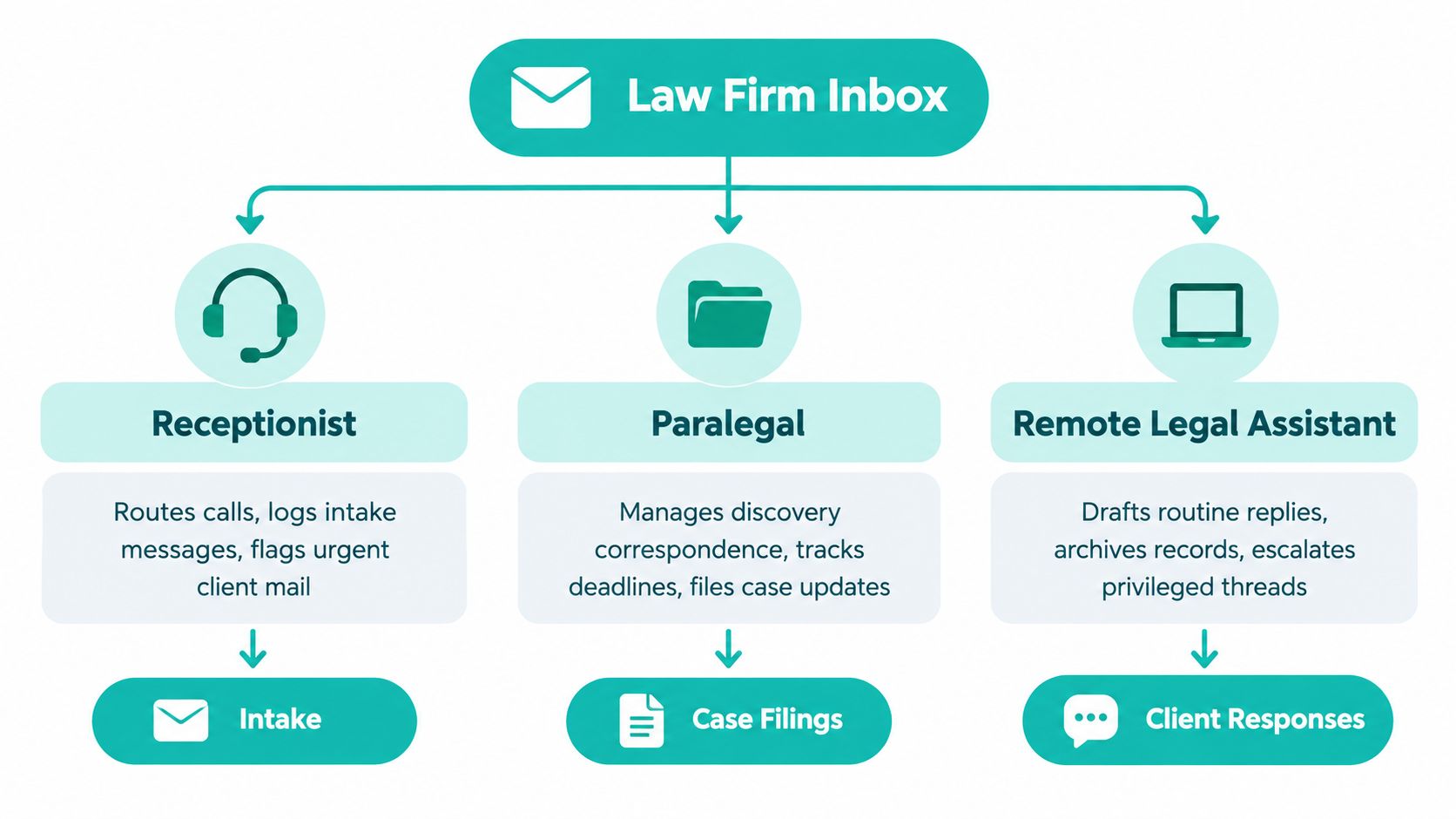
A law firm receptionist should handle call routing, basic message capture, and urgent flags. An intake specialist should focus on rapid lead response, qualification, and consultation booking. A legal assistant should draft routine replies, archive records, and move non-substantive items into the right matter or queue. A case manager should track milestones, client follow-ups, and status-sensitive correspondence that affects active files.
Email management becomes operational rather than cosmetic at this stage. If a message from a prospective client lands in the wrong inbox, the firm might still respond eventually, but the delay can hurt conversion and confidence. If a court-related message lands in a generic administrative queue, the risk is bigger because the wrong person may assume someone else has it.
Practical rule: if a message can change a deadline, a client relationship, or a matter status, it shouldn't depend on one person's memory.
Practice management software matters because the inbox shouldn't be the final destination. Systems like Clio, MyCase, and Filevine can turn an email into a structured case record if the workflow is built that way. The point isn't just storage, it's making sure the firm can link a thread to the right client, matter, and next action without rebuilding the facts later.
For firms that need a remote support layer, a role like a legal assistant in a law firm makes sense. A remote assistant can handle categorization, routine replies, archive discipline, and escalation under set rules, while the attorney and trained staff retain judgment on substantive matters. Legal assistant in a law firm is a relevant model when the work needs structure more than improvisation.
Bilingual coverage matters too, especially for firms serving English- and Spanish-speaking clients across U.S. time zones. A message that waits for the right-language responder is still a delayed message, even if nobody technically “missed” it. The workflow has to solve for availability, not just competence.
Speed sounds good until it puts the firm in the wrong place on confidentiality. That's the problem with treating inbox automation as a pure productivity play. Legal email often contains privileged communications, conflict-sensitive information, deadlines, and settlement language that can't be handled like ordinary customer support.
The governance question is simple. What can a remote assistant or AI-assisted triage system handle safely, and what must be reviewed by qualified staff or an attorney? If the answer isn't clear, the firm is outsourcing judgment by accident.
Low-risk administrative work can usually be automated or delegated, such as sorting by sender, grouping routine inquiries, drafting acknowledgment language, or attaching a message to the right file. Substantive legal communication is different. Anything involving advice, settlement, strategy, privilege, conflicts, or deadline-sensitive action needs human review by someone authorized to make the call.
That distinction matters because a classification mistake doesn't just create inconvenience. It can hide a conflict disclosure, miss a filing-related instruction, or send the wrong message down the wrong channel. AI triage can help organize volume, but it shouldn't be trusted to decide what a legal message means without a human in the loop.
A defensible remote workflow needs least-privilege access, individual user accounts, and logs that show who opened, changed, forwarded, or deleted messages. The HHS Security Rule guidance is written for healthcare, but the operational idea translates cleanly here, access should be limited, identifiable, and auditable. Shared credentials make it hard to tell who touched what, which is exactly the kind of ambiguity firms can't afford.
If a firm uses outside support, the service should also document confidentiality expectations, data handling rules, and escalation procedures. That's especially important when support staff are remote or cross-border, because the firm still owns the communication risk even if someone else is doing the first pass. For document-heavy practices, a controlled inbox only works when it's paired with the rest of the records process, including law firm document management.
Operational standard: every delegated mailbox should answer three questions, who can see it, who can act on it, and how the firm proves what happened later.
For medical and other regulated clients, the same principle applies even more tightly. The HHS Privacy Rule says email can be used with reasonable safeguards, including verifying the recipient address and limiting sensitive content in unencrypted messages, and the AMA advises defined turnaround times and caution with urgent matters. Those are useful reminders that inbox management is a governance problem first and a convenience problem second.
Clearing messages is not the same as improving performance. I've seen firms brag about a clean inbox while intake slows down, callbacks lag, and attorneys still spend their evenings catching up on threads. That's why the scorecard has to measure what changed in the work, not just what disappeared from the inbox.
A better approach is to define a few service-level targets and inspect them weekly. That means measuring first response time, unanswered-message rate, reassignment rate, and how long it takes for a message to reach the right matter owner. It also means separating routine messages from urgent ones, because a same-day reply to a billing question and a same-hour reply to an active matter issue are not the same operational task.
| Metric | Target SLA | Business Impact |
|---|---|---|
| First response time | Same-day for routine items, faster for urgent leads | Reduces lead loss and client frustration |
| Unanswered-message rate | Track weekly and drive down consistently | Reveals hidden backlog and coverage gaps |
| Reassignment rate | Keep low, review recurring misroutes | Shows whether routing rules are working |
| Consultation-booking rate | Measure after intake handling | Links email work to new matter conversion |
| Aging of unanswered client messages | Flag anything overdue by policy | Protects trust and reduces follow-up risk |
| Matter update latency | Track how fast an email becomes a record or task | Shows whether the workflow is operational or merely reactive |
The reason this matters is that email can swallow a lot of work time without producing useful outcomes. Microsoft-related reporting indicates that communication through email, chats, and meetings consumes about 60% of users' work time, leaving about 40% for higher-value work. Another report estimates roughly 275 daily interruptions from emails, messages, and meetings, which helps explain why inbox work has to be managed deliberately rather than informally. For a law firm, the point isn't to eliminate email. It's to stop letting email set the day's priorities.
If delegation doesn't improve response quality, ownership, and follow-up, it's just moving the burden around.
Generalist virtual assistants can help with basic admin, but legal inboxes usually need more than general admin skill. The risk isn't just whether someone can read and reply. It's whether they understand matter sensitivity, routing discipline, software workflows, and the difference between a routine note and a message that needs escalation.
Specialized legal staffing usually costs more in structure, not necessarily in hours, but it can reduce the hidden cost of retraining and cleanup. A bad hire in the inbox doesn't just miss a reply. It can create duplicate entries, expose privileged information, or leave intake untracked long enough that the lead goes cold.
A useful hiring process is one that tests actual workflow ability, not just availability. That means practical assessments, software familiarity, and a live conversation before commitment. It also means checking whether the candidate has prior U.S. law-firm experience, because legal communication norms are not the same as generic admin support norms.
For firms looking at remote help, pre-vetted LATAM legal talent can be a practical option when the work requires bilingual English-Spanish support, overlap across U.S. time zones, and daily inbox coverage. Virtual Legal Assistants is one example of a service that connects U.S. law firms with bilingual legal support professionals, including intake specialists, legal assistants, receptionists, and case managers, with interview-before-hire and managed contracting support.
The right choice depends on how risky the inbox is. If the mailbox is mostly appointment scheduling, a lighter model may work. If it includes intake, active client communication, and sensitive matter threads, the firm should favor candidates who can handle legal workflow discipline from day one. Manage a remote legal assistant is the kind of framework firms should use when they want the inbox to function like part of operations, not a side task.
Email management services only work when they're treated as an operational layer, not a cleanup tool. For law firms, the inbox carries intake, matter updates, deadlines, and client trust, so the key question is whether each message gets routed, owned, and tracked correctly. If the process can't answer those questions, the firm is exposed to avoidable delay and confusion.
The practical next steps are straightforward. Audit response times, map the privilege and conflict risks in your current triage process, and define the SLAs your team can meet. Then decide whether your current staff can support that workflow or whether remote legal support would stabilize it.
If your firm is stuck in reactive inbox clearing, the fix is usually not more effort from attorneys. It's a cleaner system, clearer ownership, and the right support behind it.
If you're looking for remote legal support that can handle inbox management, intake follow-up, and bilingual communication without turning your team into a babysitting department, explore Virtual Legal Assistants. They connect U.S. law firms with pre-vetted legal support professionals who can fit into your workflow, your software, and your coverage needs.