

 16 minutes read
Legal matter management is the centralized operational framework that connects intake, conflicts checks, tasks, documents, deadlines, communications, and billing to one controlled matter record. Adoption is already broad, with 69% of surveyed law firms reporting implemented matter-management software and another 9% planning implementation in 2015, while 71% said they used it.
That doesn't mean every firm has effective matter management. Many firms have purchased a platform but still rely on personal inboxes, spreadsheets, informal handoffs, and memory to run active files. The software is present, yet the operating discipline is missing.
For a law firm with remote assistants, case managers, bilingual intake staff, or multiple practice areas, that gap creates practical risk. A missed deadline may start as an unassigned task. A client update may remain in one employee's email. A document may be stored without the matter identifier needed to find it later. An unpaid balance may sit outside the workflow entirely.
This guide defines what legal matter management is, how a matter should move from intake through closure, and why governance matters as remote access and artificial intelligence become more common. It also provides a diagnostic process for identifying duplicate entry, tool fatigue, weak permissions, and poor data hygiene before your firm buys another application.
The popular advice is simple: buy legal matter management software, migrate your files, and automate the work. That advice skips the difficult part. A platform can centralize information, but it can't decide who owns a deadline, which intake fields are mandatory, or whether staff will record the work consistently.
Legal matter management is an operating framework, not merely a software category. It organizes each matter from intake through closure and connects the client and related parties, responsible lawyer, matter type, status, documents, communications, tasks, deadlines, financial information, and reporting data. The system should tell an authorized team member what happened, what needs to happen next, who owns it, and how the matter is progressing.
A file repository that stores pleadings and correspondence but doesn't track ownership, deadlines, communications, or financial activity is document management. It may be useful, but it isn't complete matter management. The distinction becomes clear when a case manager asks whether a client's last message was answered, whether a filing date has an owner, or whether work-in-progress is within the approved budget.
The concept grew from corporate legal departments' need to replace paper-based tracking with searchable, auditable matter records. A significant historical milestone came in 1978, when Equitable Life's legal department worked with CompInfo to develop a system for tracking legal matters and outside counsel. The resulting Corporate LawPack was later adopted by Fortune 100 companies, government agencies, and financial institutions, as described in the history of enterprise legal management systems.
During the 1980s and 1990s, those systems expanded from basic databases into reporting tools for corporate legal operations. Modern platforms add workflow automation, document management, electronic billing, analytics, collaboration, and risk monitoring. For law firms, the same foundation supports intake, task ownership, document coordination, client follow-up, deadline control, billing administration, and management visibility.
A firm can use Clio, MyCase, Filevine, CASEpeer, or another platform and still have fragmented work. The difference comes from the rules surrounding the platform:

Practical rule: Don't automate a workflow that nobody has agreed to follow manually. Standardize the handoff first, then use software to enforce and monitor it.
This is especially relevant when a firm adds remote legal assistants. Remote support can improve continuity and reduce routine administrative pressure, but only when the assistant works from a controlled matter record. Otherwise, the firm has distributed disconnected tasks across more people.
A matter-centric workflow works because each stage produces the information required by the next stage. The record should not be a passive folder. It should act as the firm's system of record, with every document, communication, task, deadline, and time entry tied to the correct client and matter.
Intake begins with structured information, not a free-form email that says, “Please call this potential client.” The firm should capture the prospective client's identity, related parties, opposing parties, referral source, matter type, summary, urgency, and contact details before anyone discusses the matter in depth.
The conflicts process should use that information to screen the relevant parties against existing and former matters. A firm that enters party names inconsistently may produce unreliable results. “Acme,” “Acme Corporation,” and a subsidiary shouldn't become unrelated records just because different staff members typed them differently.
Intake specialists and virtual receptionists may collect preliminary information and route the request. They shouldn't make legal judgments about whether a claim is viable or whether the firm should accept representation. The supervising attorney remains responsible for legal analysis, conflicts decisions, and engagement terms.
Once the firm approves the matter, staff should create the controlled record using required fields and the correct practice-area template. The opening checklist may include:
A case manager may coordinate milestones, while a legal assistant prepares documents, manages filing logistics, and updates the system. An administrative assistant may maintain calendars, inboxes, and billing support. Each role needs a clear boundary so administrative execution doesn't become unauthorized legal decision-making.
During active work, every significant action should remain attached to the matter. That includes emails, calls, drafts, signed documents, filing information, time entries, client follow-ups, and changes in status. A remote staff member should be able to open a matter and understand the current position without reconstructing events from separate inboxes and chat threads.
The operational test is straightforward. Can a new team member identify the last completed milestone, the next required action, its deadline, and the person responsible? If not, the firm has a visibility problem, even if the underlying documents are safely stored.
The same record should support reporting. Depending on the firm's needs, managers may monitor intake-to-open time, overdue-task rate, document-filing completeness, response time, matters by stage, and billing status. These metrics are useful only when staff use consistent fields and status definitions.
Billing shouldn't be treated as a separate month-end exercise. Time, expenses, budgets, invoices, and write-offs belong to the matter record because they describe the economic side of the work. For a firm, financial activity helps managers evaluate workload, staffing, and matter progress. For an in-house legal team, it helps track outside-counsel spend and budget variance.
Closure is another required handoff, not an administrative afterthought. The responsible team should confirm that the work is complete, outstanding balances and obligations are addressed, documents are retained according to firm policy, access is reviewed, and the matter status changes from active to closed. A matter that never closes distorts reports and leaves staff uncertain about whether new activity belongs in the old record.
A matter workspace may contain confidential client information, privileged communications, personal data, billing records, and litigation-sensitive material. Remote access doesn't change the firm's responsibility to protect that information. It changes the number of access points, devices, handoffs, and vendors that the firm must control.
ABA Model Rule 1.6 requires lawyers to keep information relating to a client's representation confidential and to make reasonable efforts to prevent inadvertent or unauthorized disclosure or access. The duty can extend to remote legal assistants, intake staff, contractors, and technology providers working under the lawyer's supervision.
Broad access is convenient, but it's difficult to defend when a role only requires limited visibility. Intake staff may need to edit contact information and preliminary status. A case manager may need milestone and communication access. A legal assistant may prepare documents and coordinate filings without seeing unrelated matters or sensitive financial information.
A mature matter-management system connects role-based access control, audit logging, retention rules, legal holds, and metadata to the matter or workspace. Managers should be able to review who created, viewed, changed, or shared information where the platform supports those controls.
Permissions also need ongoing maintenance. A joiner-mover-leaver process should grant access when a person starts, change it when responsibilities change, and remove it when the person leaves. Periodic access reviews are necessary because a former team member may otherwise retain access long after moving off a matter.
A remote bilingual team can support client communication, scheduling, intake follow-up, document coordination, and case administration. The firm should still verify identity, use approved systems, document confidentiality obligations, and provide a clear escalation path for suspected breaches or urgent legal issues.
Security procedures should be part of onboarding and quality assurance rather than a document that nobody revisits. A manager can sample matter activity, confirm that documents are stored in the approved location, check whether staff are using the correct status fields, and verify that access matches the person's current role.
A practical control set includes:
The ABA guidance on confidentiality and generative-AI tools emphasizes the need to evaluate whether information entered into such tools may be disclosed to or accessed by people outside the firm. AI may summarize, classify, or draft, but consequential outputs require documented human review and client-specific restrictions.
Firms should also distinguish prospective-client information from ordinary administrative data. Intake staff may encounter names, medical details, immigration history, financial information, opposing parties, or claim facts before an engagement exists. Access to those records should be restricted, and conflicts information should be captured before detailed discussions proceed.
For a practical example of how digital files can be structured within a firm's broader workflow, see Virtual Legal Assistants's law firm document management support. The tool or provider is only one part of the control environment. The firm still needs defined permissions, supervision, retention procedures, and attorney oversight.
Matter management isn't limited to large corporate legal departments. Thomson Reuters research reported that 57% of sole practitioners used matter-management software, compared with 67% of firms with 2–10 fee-earners and 100% of firms with 11 or more fee-earners. Those figures show that the operating model applies across firm sizes, even though adoption has historically been more complete in larger practices.
The meaningful distinction isn't whether a firm has software. It's whether the firm treats the platform as a digital file cabinet or as an active system of record.
| Firm Size | Adoption Rate | Primary Operational Benefit |
|---|---|---|
| Sole practitioners | 57% | A consistent place to track matters, deadlines, documents, and follow-up, based on Thomson Reuters matter-management research |
| Firms with 2–10 fee-earners | 67% | Shared visibility into ownership, status, tasks, communications, and billing activity, based on the same research |
| Firms with 11 or more fee-earners | 100% | Firmwide coordination and management reporting across a larger distributed workload, based on the same research |
A passive file cabinet answers, “Where is the document?” An active matter record answers, “What is the document, which matter does it belong to, who owns the next step, what deadline applies, and what financial activity is connected to the work?”
That difference matters in personal injury, immigration, family law, and civil litigation, where teams often manage many active matters with recurring milestones. The platform needs standardized templates, reliable party data, status definitions, and task ownership. Software proficiency alone won't produce that result. Staff must know how to open a record, attach the right document, record the next action, and escalate an exception.
A solo attorney may be able to maintain a disciplined workflow with a small number of templates and a tightly controlled calendar. A midsize firm needs role-based permissions, standardized intake, delegation rules, reporting, and quality checks because more people touch the same matter.
Larger teams also face a different failure mode. The problem may not be a lack of features. It may be inconsistent execution between practice groups, offices, or support roles. A firm should therefore evaluate legal case-management software workflows against its actual matter lifecycle rather than selecting a platform based on the longest feature list.
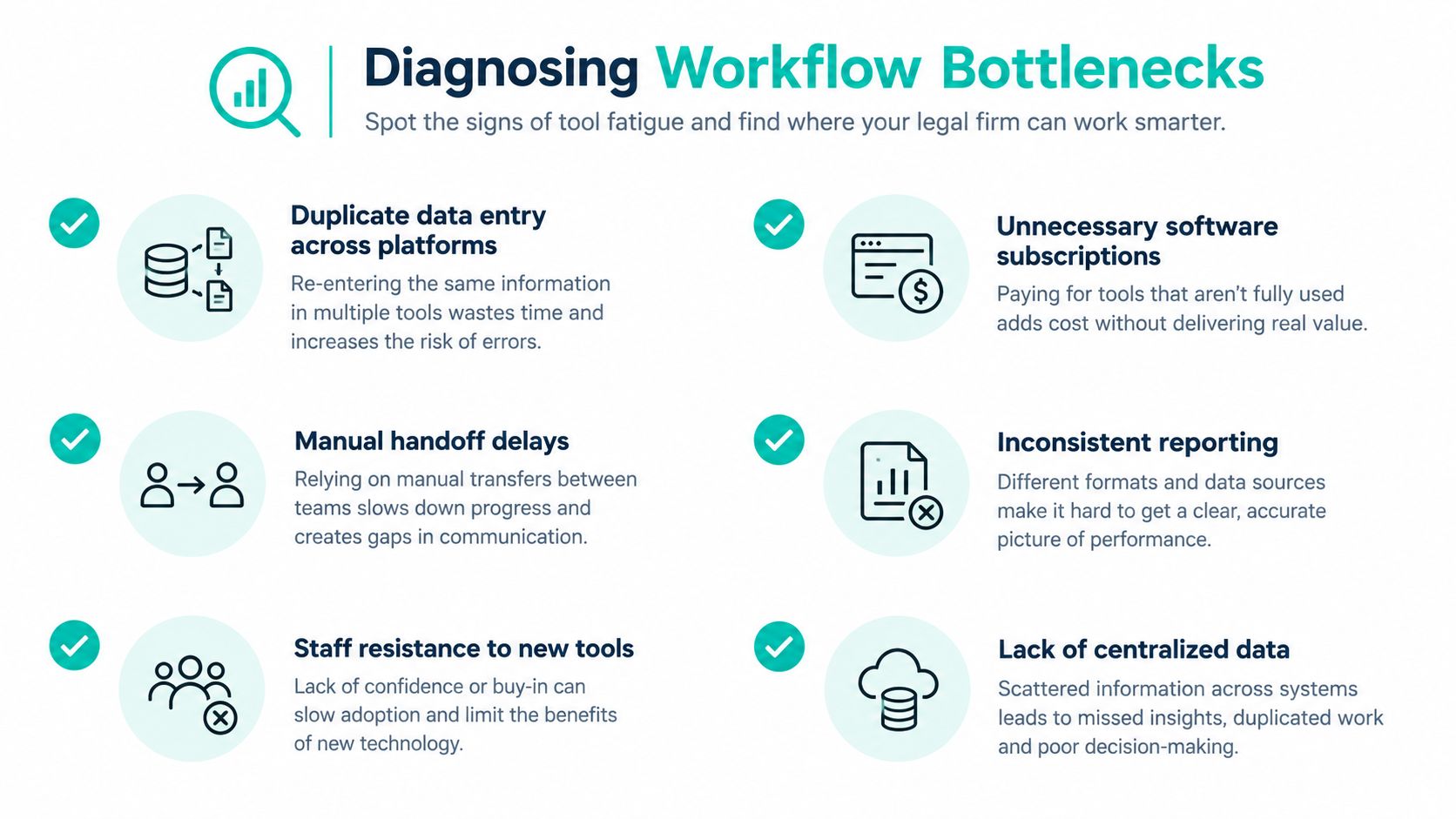
Buying another platform is often the easiest response to a coordination problem. It's also frequently the wrong first step. A 2025 survey of 264 U.S. midsize-firm professionals found that the average employee used 6.6 different tools on a single client matter, while 45% cited duplicate client and matter records as a major challenge and 44% reported inefficient time management caused by disconnected systems. The findings are summarized in LawNext's report on interconnected legal technology.
The same survey found that 61% preferred AI integrated into tools they already used, rather than standalone applications. That preference supports a practical conclusion: firms should diagnose the workflow before adding automation. More tools may increase the number of handoffs, records, permissions, and training obligations.
Choose a typical active matter from a high-volume practice area. Don't select the cleanest file. Select one that shows the normal friction between intake, legal work, client communication, documents, deadlines, and billing.
Then map each handoff:
At each stage, ask whether someone enters the same information again. Record whether the handoff occurs in the matter system, email, a spreadsheet, a chat platform, or a person's memory. The result will usually reveal whether the firm has one workflow or several parallel versions.
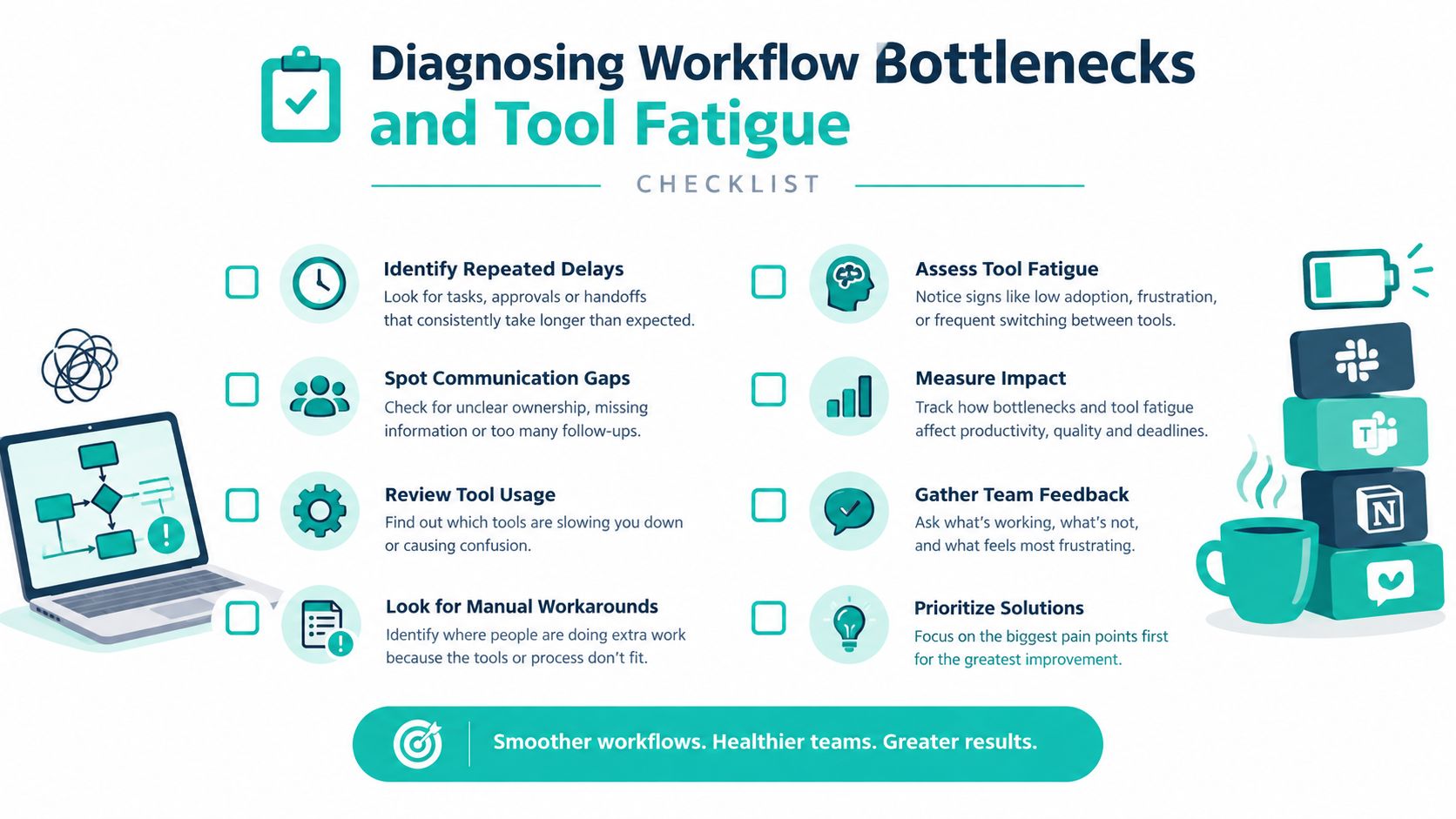
Managers don't need an advanced dashboard to find basic control failures. Look for these signs:
Track operational measures such as intake-to-open time, overdue-task rate, document-filing completeness, response time, matters by stage, deadline misses, write-offs, and incomplete records. Don't use a metric to punish staff for a broken workflow. Use it to identify where the process, training, permissions, or system design is failing.
A remote email or administrative assistant can help route communications and keep matter records current, but the role should operate from the firm's defined rules. Virtual Legal Assistants's virtual email assistant service is one example of a support model that can be evaluated against those requirements. Before assigning the work, specify which messages the assistant may answer, which must be escalated, where correspondence is saved, and how the matter record is updated.
Don't begin by redesigning every practice area. Fix one recurring failure, such as missing next-action fields at intake or inconsistent document naming. Test the new rule with the people who perform the work, revise the template, and then expand it.
AI can help with classification, summarization, or routing, but it won't repair unreliable source data. Current adoption research shows the governance gap clearly: 80% of respondents in the 2025 ILTA survey said their firms were using or exploring generative AI, including 63% of firms with 50 or fewer lawyers, while only 45% reportedly had an official policy governing generative-AI tools or sanctioned applications. Law360's coverage of AI deployment in law firms supports a measured approach. Approve the use case, limit the data, define human review, and document the decision before expanding access.
Legal matter management is the discipline of running legal work through a controlled matter record from intake through closure. The record should connect parties, conflicts checks, tasks, documents, communications, deadlines, time, billing, permissions, and status. Software makes that structure easier to enforce, but it can't replace clear ownership, standardized fields, trained staff, or attorney supervision.
Start by auditing one representative matter. Standardize the matter-opening fields, define status terms, assign responsibility for every milestone, establish naming conventions, and review role-based permissions. Then check whether your current tools write information back to the matter record or merely create more notifications and duplicate entry.
Remote legal assistants and case managers can work effectively inside this model when the firm limits access to necessary matters, documents confidentiality obligations, uses approved systems, and gives staff clear escalation rules. The operational objective isn't to add more technology. It's to create a reliable record that your attorneys, support team, and managers can trust.
Virtual Legal Assistants connects U.S. law firms with pre-vetted bilingual legal support professionals in Latin America for intake, case administration, document coordination, scheduling, and billing support. If your firm has defined its matter workflow and needs remote talent aligned with its systems and working hours, visit Virtual Legal Assistants to review available hiring options.