

 17 minutes read
A partner arrives for a client meeting, a provider needs a schedule change, a billing issue is waiting for review, and three people are asking the same executive for an answer. A weak assistant forwards every request. A strong one sorts the information, protects the decision-maker's attention, prepares the next action, and makes sure nothing important disappears.
That is the practical role of an executive assistant. The job is broader than calendar management and more controlled than informal delegation. In a law firm, medical practice, or other detail-intensive organization, an executive assistant operates as an information-and-coordination layer. They manage schedules, inboxes, documents, stakeholders, follow-up, and routine administrative workflows while keeping decisions with the person authorized to make them.
The distinction matters when you're hiring remote support. You need clear decision rights, secure access, reliable communication, and measurable operating expectations. You also need boundaries around confidential information, AI use, legal judgment, and clinical work. The following guide explains what the role actually does, how it changes by organization, how to assess candidates, and how to build a support model that improves reliability instead of creating another source of supervision.
At 8:15 a.m., an executive assistant sees a calendar conflict between an attorney's client consultation and an internal case conference. A prospective client has replied to an intake message, a provider has requested a schedule adjustment, and finance needs an invoice packet checked before submission. The assistant doesn't place the newest request at the top of the inbox. They check deadlines, identify which commitments affect clients, confirm the executive's priorities, resolve the scheduling conflict where authority has been delegated, and present the remaining decisions in a short, organized queue.
That pattern captures the operational core of the role. The assistant filters information, protects attention, organizes decisions, and keeps administrative systems moving across multiple stakeholders. In a law firm, that can mean coordinating attorney calendars, preparing meeting materials, following up for records or signatures, routing client communications, supporting billing, and maintaining matter data. In a medical practice, related work may include scheduling, referral follow-up, inbox triage under approved protocols, document preparation, and administrative coordination. None of this gives the assistant authority to provide legal advice, diagnose patients, determine medical urgency, or alter substantive strategy.

The U.S. Bureau of Labor Statistics reported approximately 489,300 executive secretary and executive administrative assistant jobs in 2025, within a broader secretarial and administrative-assistant workforce of about 3.5 million positions. The Bureau of Labor Statistics description of secretaries and administrative assistants includes reviewing incoming documents, conducting research, preparing reports, coordinating meetings, and sometimes supervising clerical employees.
O*NET identifies a wider operating set, including managing executive schedules, arranging travel, preparing invoices and financial statements, coordinating office services, analyzing correspondence, maintaining records, answering calls, and compiling data for executive presentations. Those activities explain why the role is better understood as operational coordination than basic clerical support.
A useful distinction is the difference between an administrative assistant and an executive assistant. An administrative assistant may execute defined office tasks. An executive assistant is more likely to interpret priorities, manage competing requests, prepare decisions, and coordinate work that crosses departments or clients.
The assistant can organize a filing packet, but an attorney must approve substantive legal content. They can verify whether a referral packet was received, but an authorized clinical team member must determine medical urgency. They can prepare a payment request, but an authorized person should approve release. The best assistants make these boundaries visible rather than improvising around them.
A job description that says “manage calendars and correspondence” is too vague for a high-trust role. It doesn't tell the assistant what they may decide, what requires approval, or what must be escalated immediately. A responsibility matrix does.
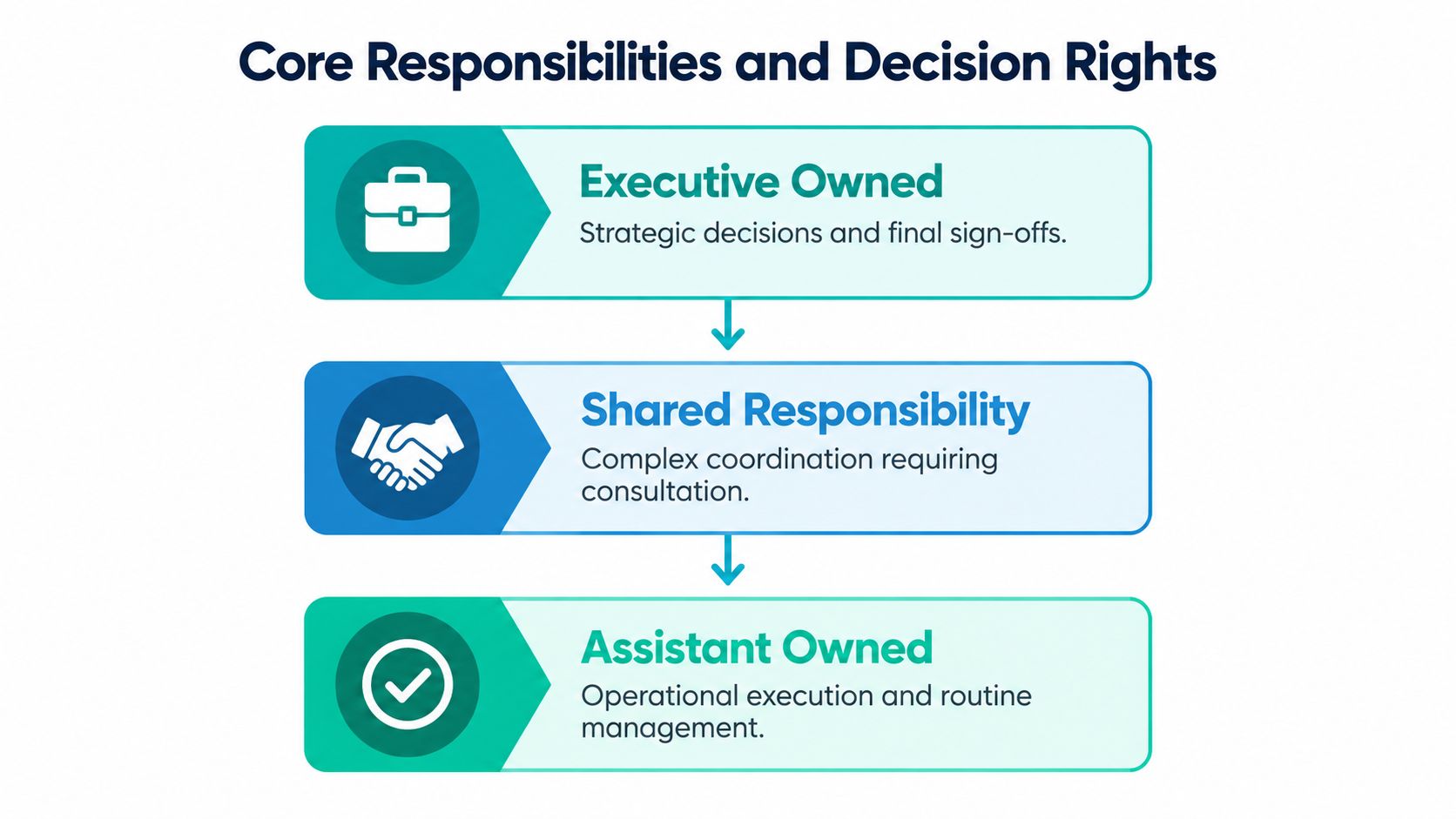
The assistant may own routine execution, while the executive, attorney, provider, or finance lead retains final authority. Shared responsibility covers work where the assistant prepares the facts and coordinates people, but someone else makes the substantive decision.
| Decision Tier | Example Tasks | Approval or Escalation Trigger |
|---|---|---|
| Assistant owned | Routine scheduling, inbox sorting, meeting logistics, travel coordination, records updates, follow-up reminders, routine invoice preparation | Escalate when a request changes a protected commitment, involves sensitive data, or exceeds an approved workflow |
| Shared responsibility | Preparing decision materials, resolving complex calendar conflicts, coordinating client or patient communications, tracking filings, organizing payment or referral packets | Obtain approval when the matter affects legal strategy, clinical urgency, financial release, or a high-impact external communication |
| Executive owned | Legal judgment, matter strategy, clinical decisions, final sign-offs, hiring decisions, trust-account changes, substantive advice | Escalate immediately when a deadline, client risk, compliance concern, suspected disclosure, or safety issue appears |
Calendar control is only one part of the job. The assistant also creates a reliable path from request to completion:
When one assistant supports several leaders, prioritization must have an owner. The firm should define which executive has priority during conflicts, who can change that priority, and what service expectations apply to each supported team. Without that agreement, the assistant is forced to negotiate authority in real time.
The duties of an executive assistant should therefore be written as operating rules, not just a list of activities. Useful measures include attorney interruptions per day, time to route client communications, calendar conflicts resolved without attorney involvement, open action items past due, and turnaround time for routine filings or document requests. Those indicators reveal whether the assistant is reducing friction or merely moving tasks between people.
The strongest candidates aren't defined by typing speed or familiarity with one calendar application. They show judgment, discretion, communication reliability, organizational memory, and process fluency. They can explain why one request should be handled immediately, why another belongs in a queue, and when a routine task has become an exception.
The U.S. Occupational Requirements Survey found that prior work experience was required for 87.2% of executive secretary and executive administrative assistant positions in 2025, while on-the-job training was required for 74.0%. The same Occupational Requirements Survey fact sheet reports that speaking was required for more than 99.5% of positions and more-than-basic people skills for 95.9%. These figures support treating the role as experience-intensive and communication-dependent rather than automatically entry-level.

Hiring principle: Test how a candidate prioritizes incomplete information, not just how quickly they complete a clean task.
Use a structured interview with scenarios drawn from the actual workflow. Ask what the candidate would do if two attorneys need the same meeting time, a client sends an urgent-sounding message without a clear deadline, or a provider asks for a schedule change while the inbox contains an unresolved referral issue. Strong answers identify the facts needed, the authority available, the next action, and the escalation point.
A short skills assessment can cover:
Reference checks should ask about follow-through, confidentiality, response to changing priorities, and whether the candidate needed repeated reminders. A polished interview can hide weak execution. References often reveal whether the person reliably closes loops.
The role is predominantly desk-based, with workers averaging 90.9% of the workday sitting and 9.1% standing, while 91.4% had the option to sit or stand during critical tasks, according to the same federal source. That information says little about judgment, but it reinforces that the work depends on sustained attention, clear communication, and consistent system use.
The role changes substantially with the organization around it. A solo attorney may need one versatile assistant who handles intake, scheduling, documents, billing coordination, and personal workflow preferences. A midsize firm may need an assistant assigned to executive calendars and firm operations, with separate intake, billing, and case-management ownership. A specialty practice may place much more weight on deadline control, client communication, language ability, or records follow-up.

| Practice setting | Primary support pattern | Main hiring consideration |
|---|---|---|
| Solo practice | Broad administrative coverage, direct communication with the owner, frequent task switching | Versatility and the ability to work independently within clear limits |
| Midsize firm | Calendar, inbox, meeting, billing, and stakeholder coordination across several leaders | Priority rules, documentation discipline, and comfort with multiple systems |
| Immigration practice | Intake, consultation scheduling, document collection, client follow-up, and deadline visibility | Bilingual communication and careful handling of incomplete information |
| Personal injury practice | Lead response, records requests, case updates, client communication, and milestone tracking | Persistence, empathy, and reliable case-management updates |
| Family law or civil litigation | Confidential communication, filing coordination, calendar control, and document version management | Discretion, deadline awareness, and escalation discipline |
Plaintiff-focused practices often need more intake and case-management support than executive calendar support. A legal assistant may be useful for document preparation and filing coordination, while an intake specialist or virtual receptionist may be better suited to rapid call handling and consultation scheduling. Immigration practices may benefit from bilingual English-Spanish support when clients need clear explanations of administrative next steps, though the assistant still must not provide legal advice.
Medical practices face a parallel distinction. A remote medical assistant can coordinate scheduling, referral status, forms, and approved inbox workflows, but clinical judgment remains with licensed or authorized clinical staff. The assistant's language capacity should match the patient population and the practice's communication policies, not replace qualified interpretation when interpretation is required.
Across firm sizes and specialties, the assistant must protect attention, prepare decisions, maintain confidentiality, and close follow-up loops. The software may be Clio, MyCase, Filevine, an electronic health record, a shared inbox, or a spreadsheet. The operating principle stays the same: every important request needs a clear owner, next action, due date, and escalation path.
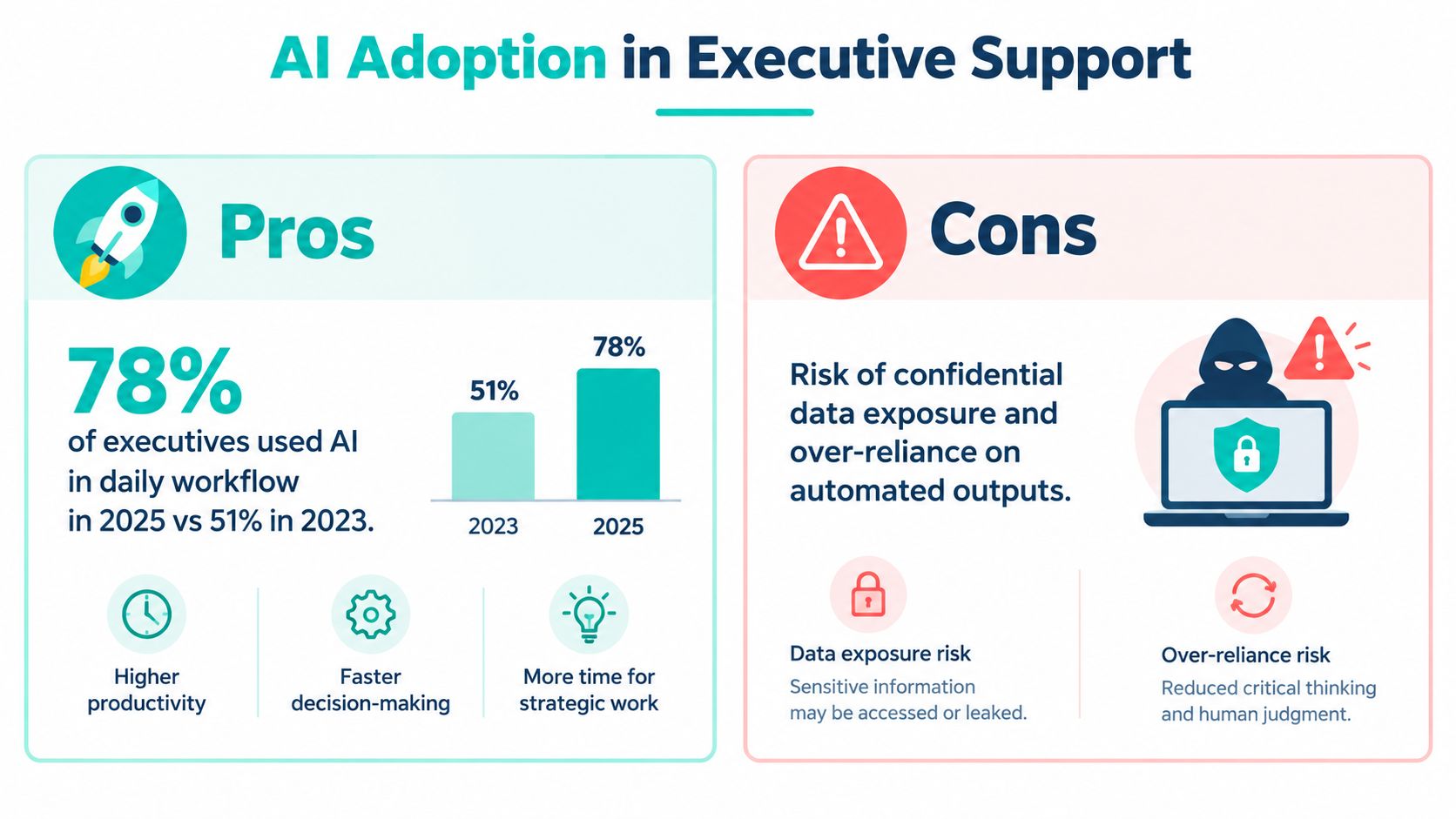
AI can help an assistant summarize a meeting, organize tasks, or draft a routine scheduling message. It can also expose confidential information, introduce a wrong deadline, or produce a polished message that no one has verified. The right question isn't whether assistants should use AI. It's which tasks are appropriate, what data may enter the tool, how the output is checked, and who owns the final decision.
A 2025 executive productivity report found that 78% of surveyed executives reported using AI in their daily workflow in 2025, compared with 51% in 2023. The same source identifies scheduling, report generation, email drafting, research, and content creation among common uses, while retaining human review. In legal operations, the report states that 83% of legal departments expected demand for legal services to rise, 63% identified workload and resource bandwidth as their top challenge, and 54% planned to adopt AI within two years. These figures come from the 2025 Executive Productivity Report, but they don't remove the need for local governance.
Low-risk administrative work can include meeting summaries from approved tools, draft scheduling messages, task grouping, formatting, and internal reminders. The assistant should still review names, dates, recipients, attachments, and commitments before sending or saving the result.
Use an approved account and avoid entering client, patient, privileged, financial, or personnel information into a consumer tool unless the organization has reviewed the tool and authorized that use. Prompt hygiene matters. Remove unnecessary identifying information, state the task clearly, and ask the system to preserve uncertainty rather than inventing a confident answer.
AI should receive stricter treatment when the task involves privileged material, protected health information, legal deadlines, substantive correspondence, payment decisions, or clinical information. In those situations, the assistant should use an approved environment, preserve an audit trail where available, verify the output against the source record, and obtain human sign-off from the authorized attorney, provider, or manager.
AI shouldn't independently determine whether a filing is timely, whether a patient needs urgent care, whether a client has a viable claim, or whether a payment should be released. It may help organize information, but it cannot own the professional judgment.
Governance rule: If an error could change legal strategy, clinical action, client rights, or financial release, AI may assist with preparation, but an authorized human must control the decision.
Every team using AI should define a fallback. If the output is incomplete or misleading, the assistant should return to the source record, flag the uncertainty, document the correction, and escalate rather than repairing a material error without notice. That keeps AI inside the decision-rights framework instead of allowing automation to create an unapproved authority layer.
An assistant's access is part of the operating design, not a routine onboarding checkbox. The person may work across email, calendars, document repositories, billing systems, case-management platforms, or health records. Each system should expose only what the assistant needs for assigned tasks.
NIST least-privilege guidance states that users should receive only the access necessary to perform assigned organizational tasks, with privileges reassigned or removed when they're no longer required. For a law firm, that means role-based permissions, unique accounts, multifactor authentication, separate administrative accounts, and auditable delegation instead of shared credentials.
| System Area | Assistant Access Level | Requires Approval For |
|---|---|---|
| Email and calendar | Manage assigned inboxes, calendars, invitations, and routine scheduling | Sending substantive advice, changing protected commitments, or sharing sensitive material externally |
| Document repository | Create, organize, retrieve, and route documents within assigned matters or teams | Mass exports, deletion, external sharing, or changes to restricted matter permissions |
| Billing system | Prepare invoices, collect supporting information, and flag discrepancies | Final approval, write-offs, trust-account changes, refunds, or payment release |
| Case-management platform | Update administrative fields, tasks, contacts, and status notes | Matter closure, substantive strategy notes, access changes, or unauthorized data exports |
| User administration | No routine administrative privileges | User provisioning, permission changes, security settings, or account recovery |
The assistant may prepare a payment or filing packet, while an authorized attorney or finance user approves release. That separation of duties reduces the consequences of an error or compromised account. A quarterly review should compare current permissions with active responsibilities, terminated matters, personnel changes, and current role scope.
Audit indicators should include dormant accounts, excessive permissions, failed login events, external sharing activity, unapproved downloads, and the percentage of sensitive systems covered by documented access reviews. If the firm uses a law-firm document management system, the access model should be reflected in matter structures, retention practices, and sharing controls rather than handled through informal folder conventions.
Medical practices need an equivalent review for protected health information. HHS explains that an organization performing services involving the use or disclosure of PHI on behalf of a covered entity may be a business associate, with examples including billing, claims administration, practice management, and related healthcare operations. The HHS business associate guidance states that a covered entity generally needs satisfactory assurances, normally through a business associate agreement, before disclosing PHI to a business associate. Whether a remote assistant is workforce or supplied through an outside organization should be documented and reviewed with qualified compliance counsel.
A good hiring process tests the work before granting broad access. Start by writing the role around workflows rather than personality traits. List the systems involved, the recurring tasks, the decisions reserved for the executive or provider, the information the assistant will handle, and the conditions that require immediate escalation.
Score candidates against the same practical categories:
The interview should include scenarios with missing information. Ask the candidate to explain their assumptions, not just their final answer. A useful test might present an inbox, a calendar, a list of open tasks, and one urgent-sounding message. The candidate should identify what they can resolve, what needs clarification, and what must be escalated.
A 30-60-90 day plan prevents the assistant from receiving too much access before the organization understands how they work.
First 30 days: Provide system orientation, confidentiality training, written escalation rules, communication norms, and supervised execution of routine scheduling, document routing, and task updates. Keep permissions narrow and review work frequently.
By 60 days: Transfer ownership of recurring workflows such as calendar maintenance, inbox triage, meeting preparation, referral follow-up, or billing packet preparation. Review exceptions, missed handoffs, and the quality of status updates.
By 90 days: Confirm the final responsibility matrix, expand access only where justified, and establish regular performance reviews. The assistant should be able to explain current priorities, overdue items, blocked work, and the next escalation without reconstructing the entire workflow from memory.
Medical practices should separate administrative persistence from clinical judgment. The AMA reported that physicians in 2024 worked an average 57.8-hour week, including 27.2 hours in direct patient care, 13 hours in indirect patient care, and 7.3 hours on administrative tasks such as prior authorization, insurance forms, and meetings. The same AMA report on physician work and electronic health records found that 22.5% of physicians spent more than eight hours on the electronic health record outside normal weekday hours of 5:30 p.m. to 7 a.m. Those figures support examining administrative delegation, but they don't authorize a remote assistant to make clinical decisions.
Choose measures tied to the original problem. For legal teams, track attorney interruptions per day, time to route client communications, calendar conflicts resolved without attorney involvement, open action items past due, and turnaround time for routine filings or document requests. For medical practices, consider referral completion time, unanswered-message volume, scheduling lag, open-task age, and after-hours EHR work.
Measurement rule: Don't measure activity alone. Measure whether the assistant makes the next decision clearer, reduces avoidable interruptions, and keeps commitments visible.
Review the measures with context. A rise in routed messages may mean the assistant is catching work that was previously lost, not that performance declined. A lower interruption count may be harmful if the assistant is suppressing legitimate escalations. Pair quantitative indicators with periodic audits of accuracy, confidentiality, documentation quality, and stakeholder experience.
The role of an executive assistant is an information-and-coordination control layer. The assistant owns routine execution, organizes requests, protects attention, prepares decisions, and follows through across systems. Attorneys, providers, and executives retain substantive judgment, final approval, and professional responsibility.
Define the responsibility matrix before hiring, test judgment with realistic work samples, limit access by workflow, govern AI use explicitly, and measure operational outcomes rather than busyness. If you're evaluating remote support, choose a role shape that matches the practice's actual needs, whether that means executive coordination, intake, scheduling, billing support, case management, or administrative coverage.
Legal Virtual connects U.S. law firms with pre-vetted bilingual legal support professionals from Latin America for roles such as legal virtual assistants, intake specialists, receptionists, case managers, and administrative assistants. If your firm needs structured remote support aligned with its calendars, client communication, and case-management workflows, visit Legal Virtual to review the available hiring process.